
From One Recorded Consultation to Ten Marketing Assets: An Agentic Editing Workflow
Most law firms already produce more useful content than they realize. Every consultation, webinar, and attorney Q&A contains clear explanations of how the law works, what clients should expect, and how a matter moves from first call to resolution. The trouble is that this material usually stays in a folder, watched once and forgotten.
Content teams know the challenge well. Publishing regularly requires a steady supply of blogs, videos, social posts, and email content, and creating each one from scratch is slow and expensive. A better approach is to treat one strong recording as a source that can feed many channels.
This guide explains how a law firm can turn one recorded consultation into ten marketing assets using an agentic editing workflow, where AI editing agents handle repetitive tasks and your team keeps control of the final result.
Why One Recording Is Often Underused
A single thirty-minute recording can hold a dozen distinct questions and answers. Each answer is a potential piece of content. A question about deadlines, fees, documents, or next steps can stand on its own as a short video, a written article, or an email.
Firms tend to leave this value unused for a simple reason. Manual editing takes hours. Someone has to watch the full recording, find the good moments, and remove pauses and repeated sentences, and then build separate versions for each platform. When time is tight, the recording is published as one long video or never published at all.
Start With Consent and Confidentiality
Before any editing begins, one point needs to be clear. Real client consultations are confidential, and in most cases they are protected by attorney-client privilege. A recorded consultation should never be published without the client's informed written consent, and in many situations it should not be published at all.
There are safer ways to build this kind of content:
- Record a mock consultation with a staff member or willing participant.
- Record an attorney answering common client questions in a consultation style.
- Use a recorded webinar or public seminar as your source.
- Publish a real recording only with written consent, and after the firm reviews it for private details and applicable advertising rules.
Attorney advertising rules differ by state and jurisdiction, so have your final assets reviewed before they go live.
Plan the Ten Assets Before You Edit
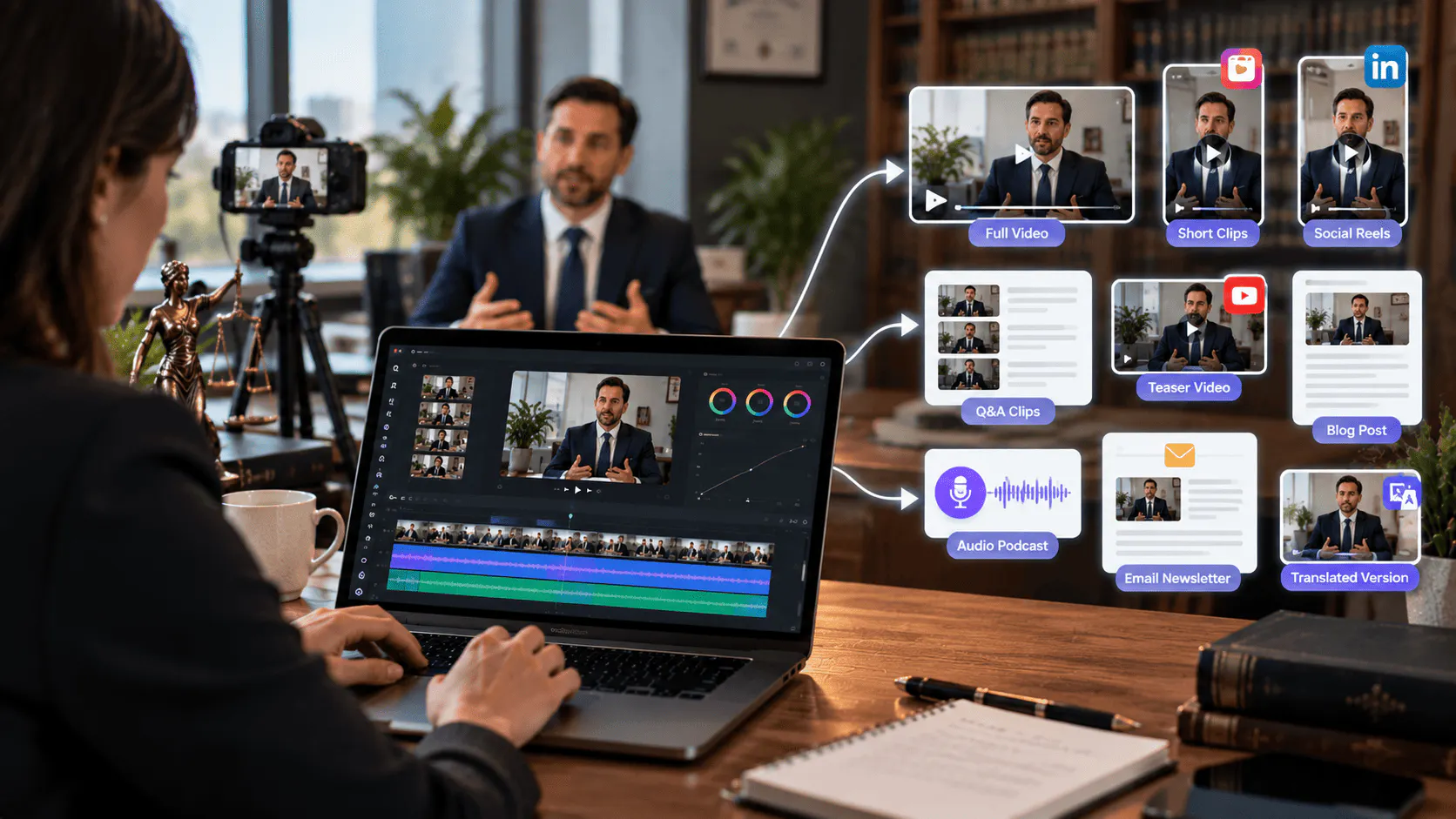
Editing without a plan leads to scattered results. Decide what you want to produce first, then direct the edit around those goals. A single recording can reasonably become the following:
- A full educational video for your website or YouTube channel
- A chaptered version with timestamps for easy navigation
- Three to five short clips that each answer one common question
- A vertical cut for Instagram, TikTok, and LinkedIn
- A short teaser or trailer that promotes the full video
- An audio-only version for a podcast feed
- A captioned version for silent viewing
- A written blog post built from the transcript
- An email newsletter featuring one clip and a summary
- A translated or dubbed version for clients who speak another language
Not every firm needs all ten. The point is that the source material can support them without recording anything new.
Build a Clean Base Cut First
Every asset in the list above depends on one thing: a clean master edit. If the master still contains false starts, long pauses, and repeated answers, every version built from it inherits the same problems.
A base cut is the first complete timeline assembled from the usable footage, with mistakes, pauses, and filler removed. Invideo editor can build this for you. You upload the recording, add a transcript if you have one, and describe the cut you want, and its AI editing agents select the clean takes and lay them onto an editable timeline. From there, you review the result and keep shaping it, so the judgment stays with your team while the repetitive work is handled for you.
Choosing a Platform for an Agentic Workflow
Not every editing tool is built for this kind of work. A traditional editor gives you precise controls, but you perform every step yourself. An agentic editor changes what you can hand over. You describe the result in plain language, and AI agents carry out the work on the timeline.
For a workflow like this one, look for three qualities: the agents must actually edit, not just suggest; the results must stay visible and editable; and the tool must support versioning for different platforms.
Invideo editor is built around these ideas, and invideo's agentic video editor is the place to see how it works. The AI agents watch the footage, work the timeline, and hand back a cut that stays yours. For a law firm marketing team, this means a small group can direct the edit the way they would direct an assistant editor, then review and adjust every change on the timeline before anything is published.
How the Ten Assets Come Together
Once the base cut is ready, each asset becomes a short, focused instruction instead of a new editing project.
The full video and chaptered version. Use the base cut as your main educational video, then add chapter markers so viewers can jump to the question that matters to them.
Short question-and-answer clips. Ask the agent to find each moment where the attorney answers a specific question, such as how long a process takes or what documents are required. Semantic search makes this practical, since you can describe the moment you want instead of scrubbing through the timeline.
Vertical and social cuts. Reformat the best clips for mobile platforms, add captions, and keep each one under a minute so the message lands quickly.
Teaser and trailer. Pull two or three strong moments into a short preview that points viewers to the full video.
Audio and written versions. Export the audio for a podcast feed, and use the transcript as the foundation for a blog post that your writer can refine and optimize.
Translated version. Dubbing and localization tools can translate dialogue while keeping lip sync, which helps firms serve multilingual communities.
The platform's cut-down and versioning features are designed for this exact step, turning one project into trailers, highlights, social cuts, and platform-specific versions.
A Simple Agentic Editing Workflow
Here is a repeatable process your firm can follow after every recording.
- Record the consultation, webinar, or Q&A with clear audio and steady framing.
- Confirm consent and review the content for confidential information.
- Upload the footage and transcript to invideo editor and describe the base cut you want.
- Review the assembled timeline and make any changes by hand.
- Ask the agent to create each additional version from the same project.
- Add captions, branding, and a clear call to action to every asset.
- Have an attorney approve the final versions before publishing.
- Schedule the assets across your website, social channels, and email over several weeks.
Spreading the release over several weeks is important. One recording can keep your content calendar full for a month.
Mistakes to Avoid
- Publishing without consent. This is the most serious risk. Always secure written permission and review for privileged details.
- Skipping the human review. AI agents handle execution, but an attorney should confirm accuracy and compliance.
- Cutting the meaning. Removing filler is fine. Removing context that changes what the attorney said is not.
- Using the same cut everywhere. A vertical social clip needs a different opening and pace than a long educational video.
- Forgetting the call to action. Every asset should tell the viewer what to do next, whether that is to book a consultation or read a related guide.
Final Thoughts
A recorded consultation does not have to be a single video. With a clear plan, careful attention to confidentiality, and an agentic editing workflow, one recording can become a full set of assets that educate clients and support your marketing across channels.
The real advantage is time. When a tool like invideo editor takes on the repetitive work of reviewing footage, selecting takes, and building versions, your team can spend its effort on what matters most: accurate, trustworthy content that helps people understand their legal options.