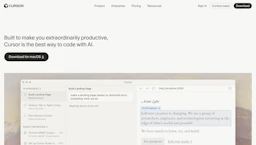
Cursor
Accelerate development with an AI for Coding workflow that understands your codebase and surfaces precise suggestions to speed debugging and feature delivery.
Top deal: 60% off Cursor Pro via third-party provider.

Side-by-side features, pricing, and active deals — pick a different matchup any time.
Accelerate development with an AI for Coding workflow that understands your codebase and surfaces precise suggestions to speed debugging and feature delivery.
Top deal: 60% off Cursor Pro via third-party provider.

Accelerate AI for Coding with contextual suggestions, inline explanations, and automated refactors across editors; includes a free tier for trial.
Top deal: Free GitHub Copilot access for verified students via GitHub Student Developer Pack
| Feature | Cursor | GitHub Copilot |
|---|---|---|
| Top features |
|
|
| Pricing model | Paid | Free |
| Free plan | No | Yes |
| Active deals | 6 active | 7 active |
| Categories | AI for Coding, LLM, Productivity Tools, Automation, Education | AI for Coding, LLM, Automation, Productivity Tools |
| Website | Visit Cursor | Visit GitHub Copilot |
Paid plans available. Check the official site for current details.
Free tier available. Check the official site for current details.
Cursor combines code-aware analysis with agent workflows that can run tasks and tests, enabling teams to iterate faster and reduce manual overhead.
Integrates directly with popular IDEs and repository workflows so suggestions use project context for more relevant completions.
GitHub Copilot is free while Cursor is paid, so GitHub Copilot is the cheaper way to start.
Yes — Cursor has 6 active deals and GitHub Copilot has 7 active deals on AI Tools Saver.
Cursor adds Education on top of what both tools share.
Both Cursor and GitHub Copilot are AI for Coding, LLM, Productivity Tools, Automation tools, so they can cover similar use cases.