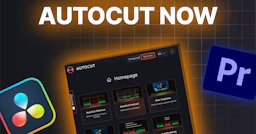
AutoCut
AutoCut revolutionizes video editing by automating tedious tasks, enhancing both quality and efficiency.

Side-by-side features, pricing, and active deals — pick a different matchup any time.
AutoCut revolutionizes video editing by automating tedious tasks, enhancing both quality and efficiency.
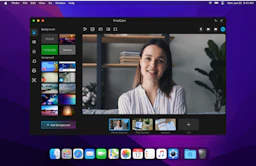
Transform your video calls and recordings with FineShare FineCam's advanced capabilities.
Top deal: 42% off
| Feature | AutoCut | FineShare FineCam |
|---|---|---|
| Top features | AutoCut Silences — Automate the removal of unnecessary silences. · Auto Captions — Create publish-ready captions automatically. · Auto Zoom — Automatically adjust framing for optimal focus. | Use Phone as Webcam — Turn your smartphone into a portable HD webcam. · Real-time AI Background Removal — Automatically removes backgrounds for enhanced visuals. · Video Switcher — Seamlessly switch between multiple video sources. |
| Pricing model | Freemium | Freemium |
| Free plan | Yes | Yes |
| Active deals | — | 1 active |
| Categories | Video Editors, Content Creation Tools, Productivity Tools | Content Creation Tools, Video Editors, Productivity Tools |
| Website | Visit AutoCut | Visit FineShare FineCam |
AutoCut offers a 14-day free trial with no credit card required, granting full access to all features. After the trial, published plans are Basic at $9.9/month or $79/year, AI at $19.8/month or $178.8/year, and a custom-priced Enterprise plan.
This weekly updated software ensures users have access to the most advanced features and performance improvements as they become available, making it a valuable tool for ongoing projects and evolving video editing needs.
Current pricing details for FineShare FineCam are not available. Please visit the official pricing page for the most accurate and up-to-date information.
Choose AutoCut to empower your video editing process with AI-driven technology that enhances quality while saving time. Its intuitive design is built for seamless integration into your existing editing software, ensuring you can focus on creativity instead of tedious tasks. Testimonials from both beginners and professionals highlight the significant improvements in workflow, creativity, and overall editing efficiency.
By adopting AutoCut, you join a community of satisfied users who appreciate the continuous updates and support geared towards making video editing faster, easier, and more efficient, ultimately leading to better content creation.
FineCam offers a complete solution for anyone needing professional quality videos, whether for teaching, meetings, or content creation. Its intuitive features enable seamless integration with various setups, ensuring users can deliver high-quality, engaging videos effortlessly.
The tool's advanced capabilities in background removal and video enhancement make it particularly valuable for those looking to elevate their online presence and create visually appealing content. FineCam's versatility allows for a wide range of applications, from remote collaboration to live streaming.
Both AutoCut and FineShare FineCam are freemium tools — compare their pricing plans below to see which fits your budget.
FineShare FineCam has 1 active deal on AI Tools Saver; AutoCut currently has none.
The tools overlap heavily — compare their feature lists above to spot the differences.
Both AutoCut and FineShare FineCam are Video Editors, Content Creation Tools, Productivity Tools tools, so they can cover similar use cases.