Automater.ai vs Maxworker.ai

Side-by-side features, pricing, and active deals — pick a different matchup any time.

Automater.ai - AI Tool Profile and Logo Preview

Automater.ai

FreemiumAutomationAI AssistantProductivity Tools

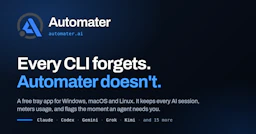
AUTOMATER.ai is a tool that consolidates AI sessions from various applications into a single searchable library, helping users manage and organize their AI interactions.

Maxworker.ai - AI Tool Profile and Logo Preview

Maxworker.ai

PaidAI AssistantProductivity ToolsAutomation

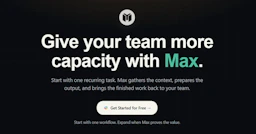
Maxworker.ai is an AI coworker in Slack that streamlines tasks and communication for teams.

⚡ Key Differences

  • Only Automater.ai has a free plan

At a Glance

Automater.ai vs Maxworker.ai at a glance
FeatureAutomater.aiMaxworker.ai
Top featuresSession Library — Find and resume any past AI session from a unified searchable library. · Live Activity Monitoring — Instantly know when an agent is waiting for your input or approval. · Usage Tracking — Monitor usage across multiple AI providers to avoid exceeding limits.Morning Brief — Start your day with a summary of tasks and important messages. · Delegation — Assign tasks in plain language and receive drafts for approval. · Integration — Connects with 25+ essential work tools, like Slack, Gmail, and Google Drive.
Pricing modelFreemiumPaid
Free planYesNo
Active deals——
CategoriesAutomation, AI Assistant, Productivity ToolsAI Assistant, Productivity Tools, Automation
WebsiteVisit Automater.aiVisit Maxworker.ai

Which One Should You Pick?

Choose Automater.ai if:

  • You want to try it free before paying

Choose Maxworker.ai if:

  • You care most about: Morning Brief — Start your day with a summary of tasks and important messages., Delegation — Assign tasks in plain language and receive drafts for approval.

Features

Automater.ai

  • Session Library — Find and resume any past AI session from a unified searchable library.
  • Live Activity Monitoring — Instantly know when an agent is waiting for your input or approval.
  • Usage Tracking — Monitor usage across multiple AI providers to avoid exceeding limits.
  • Local Indexing — Automatically indexes session transcripts from various AI tools without uploading data.
  • Multi-Platform Support — Compatible with Windows, macOS, and Linux operating systems.
  • Voice Input — Use voice commands to input text directly into any active window.
  • Grok Bot Integration — Save and search all Grok Bot chats alongside CLI sessions.

Maxworker.ai

  • Morning Brief — Start your day with a summary of tasks and important messages.
  • Delegation — Assign tasks in plain language and receive drafts for approval.
  • Integration — Connects with 25+ essential work tools, like Slack, Gmail, and Google Drive.
  • Approval Process — Review and approve all outputs before they are finalized.
  • Task Management — Handles open tasks and deadlines with reminders.
  • Context Gathering — Pulls information from various tools to streamline tasks.
  • No Hidden Fees — Fixed price model with no add-ons or surprise charges.

Pricing

Automater.ai

Automater.ai offers a tiered pricing model:

  • Automater Lite: Free version with essential features.
  • PRO Version: Available for users seeking advanced features and capabilities.

Maxworker.ai

Maxworker.ai allows you to start for free with full access to the Pro plan for 3 days with no credit card required. After the trial, pricing begins at $99 per month with all features included.

There is a clear and fixed pricing structure with no hidden fees or add-ons, ensuring that what you pay is what you get. For detailed pricing information, please refer to the official pricing page.

Why Choose Each Tool

Automater.ai

  • Unified Session Management: Automater.ai consolidates AI sessions from multiple tools into a single searchable library, allowing users to easily find and resume past interactions.
  • Real-Time Monitoring: The tool provides live updates on agent activity, notifying users when an AI is waiting for input or approval, ensuring timely responses.
  • Usage Tracking: Automater.ai features a comprehensive usage meter that monitors consumption across multiple AI providers, helping users manage their quotas effectively.
  • Local Data Handling: All session data is indexed and stored locally on the user's machine, enhancing privacy and accessibility without the need for cloud storage.

Maxworker.ai

Choosing Maxworker.ai means opting for a tool that adapts to your team's workflows while integrating seamlessly with existing tools. With features designed to keep tasks organized and accountability clear, Max alleviates the burden of task management and enhances productivity.

Unlike generic AI assistants, Max not only provides suggestions but also drafts concrete outputs based on your needs, ensuring your team maintains control over every action taken.

Frequently Asked Questions

Is Automater.ai cheaper than Maxworker.ai?

Automater.ai is freemium while Maxworker.ai is paid, so Automater.ai is the cheaper way to start.

Do Automater.ai or Maxworker.ai have active deals?

Neither tool has active deals right now — new deals are added regularly, so check back soon.

What can Automater.ai do that Maxworker.ai can’t?

The tools overlap heavily — compare their feature lists above to spot the differences.

What do Automater.ai and Maxworker.ai have in common?

Both Automater.ai and Maxworker.ai are Automation, AI Assistant, Productivity Tools tools, so they can cover similar use cases.