
Bolt.new
Build with App Builders to turn brand components into production sites and apps using AI; includes hosting, SEO tools, and component workflows for teams.
Top deal: Referral link for free 200K tokens

Side-by-side features, pricing, and active deals — pick a different matchup any time.
Build with App Builders to turn brand components into production sites and apps using AI; includes hosting, SEO tools, and component workflows for teams.
Top deal: Referral link for free 200K tokens
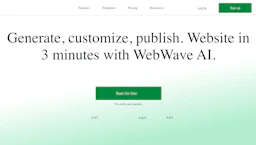
Create flexible websites with WebWave, an AI-enhanced builder offering SEO tools and marketing support. Explore its features to improve your workflow.
Top deal: Referral link for WebWave
| Feature | Bolt.new | WebWave |
|---|---|---|
| Top features | Ship production pages directly from your component library to save setup time. · Automated hosting, databases, and deployment to cut infrastructure overhead. · Design system integration to enforce brand and component consistency. | Flexible drag-and-drop page builder for custom website design. · AI writer generates optimized headlines and articles. · Integrated SEO analyzer provides actionable insights to improve rankings. |
| Pricing model | Free | Freemium |
| Free plan | Yes | Yes |
| Active deals | 4 active | 3 active |
| Categories | App Builders, Design, SEO, Marketing | Website Builders, SEO, Marketing, AI for Coding, Image Generators, Writing Generator, Data Analytics, Design |
| Website | Visit Bolt.new | Visit WebWave |
Free tier available. Check the official site for current details.
WebWave offers a freemium model. Check the official site for current details.
Bolt.new maps component libraries to deployable pages and manages hosting in one workflow, reducing handoff and setup steps.
WebWave combines advanced AI features and SEO tools with a flexible design platform, enabling users to create customized, optimized websites efficiently.
Bolt.new is free and WebWave is freemium — compare their pricing plans below to see which fits your budget.
Yes — Bolt.new has 4 active deals and WebWave has 3 active deals on AI Tools Saver.
Bolt.new focuses on App Builders, while WebWave is built for Website Builders, AI for Coding, Image Generators, Writing Generator, Data Analytics — see the feature breakdown above for details.
Both Bolt.new and WebWave are Design, SEO, Marketing tools, so they can cover similar use cases.