Build or Skip vs GPTExcel

Side-by-side features, pricing, and active deals — pick a different matchup any time.

Build or Skip - AI Tool Profile and Logo Preview

Build or Skip

FreemiumAI for CodingProductivity ToolsData Analytics

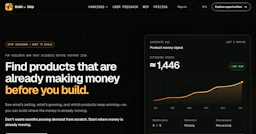
Build or Skip helps developers and startup teams identify profitable products by analyzing payment signals and growth trends before building.

GPTExcel - AI Tool Profile and Logo Preview

GPTExcel

FreemiumProductivity Tools

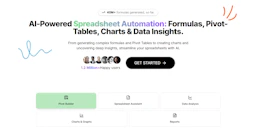
Maximize spreadsheet efficiency with AI-powered formula and script generation.

⚡ Key Differences

  • Only Build or Skip: AI for Coding, Data Analytics

At a Glance

Build or Skip vs GPTExcel at a glance
FeatureBuild or SkipGPTExcel
Top featuresRevenue Rankings — Identify products generating revenue based on public payment signals. · Tip Rankings — Analyze publicly visible tip amounts to gauge product popularity and user support. · Backlink Resources — Access a library of comment and AI tool backlinks for competitive research.Excel Formula Generator — Generate and understand complex formulas. · Script Generator AI — Create automation scripts for multiple platforms. · SQL Query Generator — Simplify crafting and troubleshooting SQL queries.
Pricing modelFreemiumFreemium
Free planYesYes
Active deals
CategoriesAI for Coding, Productivity Tools, Data AnalyticsProductivity Tools
WebsiteVisit Build or SkipVisit GPTExcel

Which One Should You Pick?

Choose Build or Skip if:

  • You need AI for Coding or Data Analytics

Choose GPTExcel if:

  • You care most about: Excel Formula Generator — Generate and understand complex formulas., Script Generator AI — Create automation scripts for multiple platforms.

Features

Build or Skip

  • Revenue Rankings — Identify products generating revenue based on public payment signals.
  • Tip Rankings — Analyze publicly visible tip amounts to gauge product popularity and user support.
  • Backlink Resources — Access a library of comment and AI tool backlinks for competitive research.
  • New Site Revenue Ranking — Discover newly registered domains with payment signals for potential opportunities.
  • API Access — Query domain registration, traffic, and other site data through a unified API.
  • Product Decision Support — Evaluate products based on commercial activity and growth trends to make informed build or skip decisions.

GPTExcel

  • Excel Formula Generator — Generate and understand complex formulas.
  • Script Generator AI — Create automation scripts for multiple platforms.
  • SQL Query Generator — Simplify crafting and troubleshooting SQL queries.
  • Regex Generator — Generate regular expression patterns effortlessly.
  • Template Generator AI — Create table templates for Excel and Google Sheets.
  • Image to Table Conversion — Convert images containing tables into editable formats.
  • Data Analysis — Analyze spreadsheet data to produce insights and reports.
  • Chart Generation — Automatically generate charts and graphs from your data.

Pricing

Build or Skip

Build or Skip offers a simple pricing model:

  • Free Preview: Start with a free preview of the tool.
  • Pro Monthly: $19 per month, which includes access to all features and data.
  • Pro Yearly: $190 billed yearly, providing a discounted rate of $15.83 per month, with two months free.

GPTExcel

GPTExcel offers a free plan that allows users to get started with essential features without a credit card. This plan includes limited access to AI chat messages and tool usage, making it a great option for casual users.

For those looking for more advanced capabilities, GPTExcel has a Pro plan that provides increased usage limits and additional features. Current pricing details are available on the official pricing page for users to explore their options further.

Why Choose Each Tool

Build or Skip

  • Data-Driven Insights: Build or Skip aggregates public payment signals, tipping data, and site intelligence to help users identify products with proven commercial activity.
  • Real-Time Updates: The platform continuously updates its data, including comment and AI tool backlinks, ensuring users have access to the latest trends and opportunities.
  • Comprehensive Research Tools: Users can analyze various metrics such as revenue rankings, site profiles, and growth trends to make informed decisions about product development.
  • Opportunity Exploration: The tool allows users to discover new products and assess their viability based on observable payment signals, helping to focus efforts on promising ventures.

GPTExcel

Choosing GPTExcel means empowering your spreadsheet workflow with AI capabilities that automate repetitive tasks and enhance productivity. With features like the chat interface that allows direct interaction with your data, image-to-table conversion, and comprehensive analysis tools, GPTExcel stands out as a powerful assistant that caters to both professionals and casual users alike.

Its ability to generate a wide range of scripts and formulas, coupled with support for multiple platforms, makes it an essential tool for anyone involved in data management and analysis. Streamline your processes and gain insights that drive decisions with GPTExcel.

Frequently Asked Questions

Is Build or Skip cheaper than GPTExcel?

Both Build or Skip and GPTExcel are freemium tools — compare their pricing plans below to see which fits your budget.

Do Build or Skip or GPTExcel have active deals?

Neither tool has active deals right now — new deals are added regularly, so check back soon.

What can Build or Skip do that GPTExcel can’t?

Build or Skip adds AI for Coding, Data Analytics on top of what both tools share.

What do Build or Skip and GPTExcel have in common?

Both Build or Skip and GPTExcel are Productivity Tools tools, so they can cover similar use cases.