CaptureKit vs Clipy

Side-by-side features, pricing, and active deals — pick a different matchup any time.

CaptureKit - AI Tool Profile and Logo Preview

CaptureKit

FreemiumAI for CodingProductivity Tools

A powerful API where you can capture screenshots, extract structured web page data, and summarize page content.

Top deal: 10% OFF on Ultimate plan

Clipy - AI Tool Profile and Logo Preview

Clipy

FreemiumAI for CodingContent Creation ToolsProductivity Tools

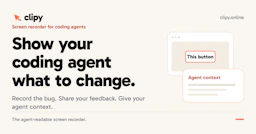
Clipy is an agent-readable screen recorder designed for coding agents, allowing users to record bugs, walkthroughs, and feedback with contextual summaries.

⚡ Key Differences

  • Only CaptureKit has active deals (1)
  • Only Clipy: Content Creation Tools

At a Glance

CaptureKit vs Clipy at a glance
FeatureCaptureKitClipy
Top featuresScreenshot API: Easily capture high-quality full-page or viewport screenshots of any website in formats: PNG, JPEG, WebP, PDF. · Upload to S3: Upload screenshots on autopilot to Amazon S3 for easy storage and access. · HTML Extraction: CaptureKit allows you to retrieve raw HTML and structured metadata from web pages for analysis and automation.Agent-Readable Recordings — Provides structured context for coding agents, including summaries and transcripts. · One-Click Recording — Easily record your screen, window, or browser tab with a single click. · System and Microphone Audio — Capture both system audio and narration for comprehensive explanations.
Pricing modelFreemiumFreemium
Free planYesYes
Active deals1 active—
CategoriesAI for Coding, Productivity ToolsAI for Coding, Content Creation Tools, Productivity Tools
WebsiteVisit CaptureKitVisit Clipy

Which One Should You Pick?

Choose CaptureKit if:

  • You want its 1 active deal

Choose Clipy if:

  • You need Content Creation Tools

Features

CaptureKit

Some of CaptureKit's features:

  1. Screenshot API: Easily capture high-quality full-page or viewport screenshots of any website in formats: PNG, JPEG, WebP, PDF.
  2. Upload to S3: Upload screenshots on autopilot to Amazon S3 for easy storage and access.
  3. HTML Extraction: CaptureKit allows you to retrieve raw HTML and structured metadata from web pages for analysis and automation.
  4. Link Scraper: You can extract all internal and external links from a web page for SEO, research, or competitive analysis with no effort.
  5. AI Summarization: Generate concise, AI-powered summaries of webpage content for quick insights.
  6. Ad & Cookie Banner Blocking: Automatically remove distractions like ads, pop-ups, and cookie banners for cleaner captures.
  7. Custom Rendering: With CaptureKit you can control viewport size, enable dark mode, delay captures, and interact with elements for perfect snapshots.

Clipy

  • Agent-Readable Recordings — Provides structured context for coding agents, including summaries and transcripts.
  • One-Click Recording — Easily record your screen, window, or browser tab with a single click.
  • System and Microphone Audio — Capture both system audio and narration for comprehensive explanations.
  • Shareable Links — Generate a single link for sharing with teammates and coding agents without requiring viewer sign-up.
  • High-Quality Recording — Supports recording in HD to 4K quality to match your display needs.
  • No Installation Required — Operates directly in the browser with no need for additional software installation.
  • Unlisted by Default — Share recordings privately through links without making them public.

Pricing

CaptureKit

CaptureKit offers a free plan with several paid plans:

  • Free: 100 requests available;
  • Basic: $7/month for 1k requests;
  • Pro: $29/month for 10k requests;
  • Ultimate: $89/month for 50k requests.

Clipy

Clipy offers a free trial that allows users to record up to 15 recordings or 2 recorded hours, whichever comes first. After the trial, a Pro subscription is available for a monthly fee, which enables additional recording capabilities.

  • Free trial: Up to 15 recordings or 2 hours
  • Pro subscription: Monthly fee for extended features

Why Choose Each Tool

CaptureKit

If you want to save time on development and you don't want to build and maintain complex browser automation - Try CaptureKit today ➡️ ➡️ ➡️

Clipy

  • Agent-Readable Context: Clipy provides a structured summary, transcript, and key moments from recordings, allowing coding agents to quickly understand the context without replaying the entire video.
  • Seamless Integration with Coding Agents: The tool allows users to paste links into coding agents like Claude Code, Codex, or Cursor, enabling them to act on the provided context directly.
  • No Viewer Sign-Up Required: Users can share recordings via a single link without requiring viewers to sign up, simplifying collaboration.
  • High-Quality Recording Options: Clipy supports recording in HD to 4K quality, ensuring that visual details are clear and effective for demonstrating changes or issues.

Frequently Asked Questions

Is CaptureKit cheaper than Clipy?

Both CaptureKit and Clipy are freemium tools — compare their pricing plans below to see which fits your budget.

Do CaptureKit or Clipy have active deals?

CaptureKit has 1 active deal on AI Tools Saver; Clipy currently has none.

What can CaptureKit do that Clipy can’t?

Clipy adds Content Creation Tools on top of what both tools share.

What do CaptureKit and Clipy have in common?

Both CaptureKit and Clipy are AI for Coding, Productivity Tools tools, so they can cover similar use cases.

Related Comparisons

More matchups featuring CaptureKit or Clipy.