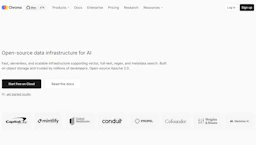
Chroma DB
Index vectors for LLM retrieval, enabling fast semantic search, scalable embedding storage, and easier integration into Data Science and analytics workflows.

Side-by-side features, pricing, and active deals — pick a different matchup any time.
Index vectors for LLM retrieval, enabling fast semantic search, scalable embedding storage, and easier integration into Data Science and analytics workflows.
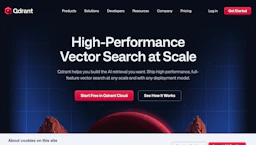
Build scalable vector search for LLMs with real-time indexing, hybrid dense-sparse retrieval, multivector support, and metadata filters for Data Analytics.
Top deal: Promo code for Qdrant related resources via MAX.IO
| Feature | Chroma DB | Qdrant |
|---|---|---|
| Top features | Low-latency vector search to speed up retrieval and user response times. · Scalable embedding storage for growing datasets and predictable performance. · Developer-friendly SDKs and REST APIs for seamless integration into pipelines. | Reduce query latency with a Rust-based engine and optimized storage. · Improve Data Analytics speed with real-time indexing and memory-efficient storage. · Blend keyword and vector signals using native hybrid dense-sparse search. |
| Pricing model | Paid | Paid |
| Free plan | No | No |
| Active deals | — | 1 active |
| Categories | LLM, Data Science, Data Analytics, AI for Coding, Productivity Tools | LLM, Data Analytics, AI for Coding, Data Science |
| Website | Visit Chroma DB | Visit Qdrant |
Chroma DB is a paid product. Check the official site for current details.
Paid plans are available for cloud and self-hosted deployments. Check the official site for current details.
Chroma DB provides developer-focused APIs for efficient vector storage and low-latency retrieval, making it straightforward to add semantic search and retrieval to applications.
Qdrant is built in Rust with a custom storage engine to deliver low-latency, memory-efficient vector search and native hybrid plus multivector capabilities.
Both Chroma DB and Qdrant are paid tools — compare their pricing plans below to see which fits your budget.
Qdrant has 1 active deal on AI Tools Saver; Chroma DB currently has none.
Chroma DB adds Productivity Tools on top of what both tools share.
Both Chroma DB and Qdrant are LLM, Data Science, Data Analytics, AI for Coding tools, so they can cover similar use cases.
More matchups featuring Chroma DB or Qdrant.