ClipTalk
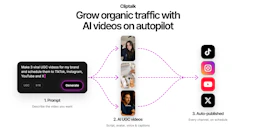
Cliptalk is an AI video generator that transforms ideas into ready-to-post videos for social media, automating editing, captions, and B-roll footage.
Top deal: 60% OFF Pro plan lifetime

Side-by-side features, pricing, and active deals — pick a different matchup any time.
Cliptalk is an AI video generator that transforms ideas into ready-to-post videos for social media, automating editing, captions, and B-roll footage.
Top deal: 60% OFF Pro plan lifetime

Creovox AI is an AI video generator for creators, marketers & businesses.
Top deal: 20% OFF yearly plans (first year) & +15% credits on packs of $20+
| Feature | ClipTalk | Creovox AI |
|---|---|---|
| Top features |
| — |
| Pricing model | Freemium | Freemium |
| Free plan | Yes | Yes |
| Active deals | 1 active | 1 active |
| Categories | Video Generators, Content Creation Tools, AI Assistant | AI Assistant, Content Creation Tools, Video Generators |
| Website | Visit ClipTalk | Visit Creovox AI |
Text-to-Video Generation – Create AI videos from text prompts, scripts, and creative ideas.
Image-to-Video Generation – Turn static images and product photos into animated videos.
AI Image Generation – Generate images using multiple AI image models.
AI Video Effects – Apply creative effects, animations, and visual transformations.
Multiple AI Models – Access models including Kling, Veo, Seedance, Wan, HappyHorse, and more.
Trend Templates – Use ready-made templates for popular social media video trends.
Video Customization – Adjust video duration, aspect ratio, resolution, and other generation settings where supported.
AI Prompt Enhancement – Improve prompts to get better generation results.
Batch Background Removal – Remove backgrounds from multiple images.
Character Library – Save and reuse characters across creative workflows.
Face Swap – Create face-swapped visuals.
Commercial Use – Commercial usage rights are available subject to the applicable plan and model terms.
Cliptalk offers several pricing plans to accommodate different user needs:
New accounts receive 50 free credits to try the service, with videos created on the free plan carrying a watermark.
For up-to-date information, please check the official website.
Yearly subscriptions offer approximately 20% savings.
Credit packs are available as one-time purchases.
Purchased credit packs do not expire.
Paid subscriptions include access to all available AI models.
Failed generations are automatically refunded.
Unused subscription credits roll over for one additional billing period.
No information available.
Both ClipTalk and Creovox AI are freemium tools — compare their pricing plans below to see which fits your budget.
Yes — ClipTalk has 1 active deal and Creovox AI has 1 active deal on AI Tools Saver.
The tools overlap heavily — compare their feature lists above to spot the differences.
Both ClipTalk and Creovox AI are Video Generators, Content Creation Tools, AI Assistant tools, so they can cover similar use cases.
More matchups featuring ClipTalk or Creovox AI.