
Craiyon
Generate images with Image Generators from brief prompts to produce visual variations for concepts, social posts, or mockups; iterate in browser.
Top deal: 20% off Craiyon

Side-by-side features, pricing, and active deals — pick a different matchup any time.
Generate images with Image Generators from brief prompts to produce visual variations for concepts, social posts, or mockups; iterate in browser.
Top deal: 20% off Craiyon
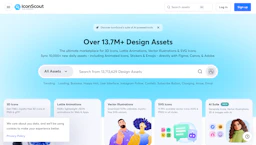
Access Image Generators and curated assets including 3D icons, Lottie animations, vector illustrations and SVGs, with plugins for Figma, Canva, and Adobe.
Top deal: 33% OFF for Individual plan (annual billing)
| Feature | Craiyon | IconScout |
|---|---|---|
| Top features | Fast multi-image grids that let you compare variations and choose directions quickly. · Editable prompts and re-generation to refine outputs without starting over. · Browser-based access with simple export options for mockups and social assets. | Icon Scout speeds up mockups with ready-made 3D icons and Lottie animations for immediate use. · Generate 3D illustrations from text prompts to match project style quickly. · Customize design vectors and SVGs with intuitive editors to fit brand guidelines. |
| Pricing model | Paid | Freemium |
| Free plan | No | Yes |
| Active deals | 1 active | 1 active |
| Categories | Image Generators, Art Generator, AI Prompts, Design | Image Generators, Design, Marketplace, 3D Model Generators, Art Generator |
| Website | Visit Craiyon | Visit IconScout |
Paid plans are available. Check the official site for current details.
Paid plans available. Check the official site for current details.
Craiyon runs in a browser and generates multiple image variations from text prompts, enabling fast iteration and quick concept testing.
A unified asset library with native plugins and API support to streamline design workflows.
IconScout is freemium while Craiyon is paid, so IconScout is the cheaper way to start.
Yes — Craiyon has 1 active deal and IconScout has 1 active deal on AI Tools Saver.
Craiyon focuses on AI Prompts, while IconScout is built for Marketplace, 3D Model Generators — see the feature breakdown above for details.
Both Craiyon and IconScout are Image Generators, Art Generator, Design tools, so they can cover similar use cases.
More matchups featuring Craiyon or IconScout.