
Crayo
Create short clips with Video Generators that auto-generate script, AI voiceovers, captions and stock footage for rapid TikTok and Reels at scale.
Top deal: 20% off Crayo AI subscription

Side-by-side features, pricing, and active deals — pick a different matchup any time.
Create short clips with Video Generators that auto-generate script, AI voiceovers, captions and stock footage for rapid TikTok and Reels at scale.
Top deal: 20% off Crayo AI subscription
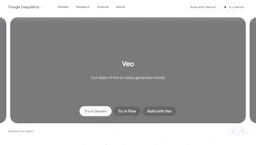
Generate cinematic clips with Video Generators, including native audio and realistic physics; add dialogue, ambient sound and extended length for realism.
Top deal: Promo code for PowerDirector 365 which includes Google Veo 3.1 AI features.
| Feature | Crayo | Google Veo |
|---|---|---|
| Top features | Template-driven assembly to cut editing time and boost output cadence. · AI script generation from prompts or URLs to speed content ideation. · Built-in Voice Generators for fast text-to-speech voiceovers and style options. | Save time with end-to-end text-to-video rendering and extended clip support. · Increase realism using physics-aware motion for more natural scenes. · Reduce sound design effort by generating synchronized audio natively (Voice Generators). |
| Pricing model | Free | Paid |
| Free plan | Yes | No |
| Active deals | 7 active | 9 active |
| Categories | Video Generators, Voice Generators, Video Editors, AI Prompts, Image Generators | Video Generators, Voice Generators, Video Editors, AI Prompts, Image Generators |
| Website | Visit Crayo | Visit Google Veo |
Offers a free plan for basic use. Check the official site for current details.
Paid product. Check the official site for current details.
Template-led, end-to-end assembly speeds production of short-form social videos by combining scriptwriting, TTS voiceovers and auto-captions in one workflow.
Google Veo pairs native audio generation with physics-aware visuals and prompt-focused controls to help creators produce coherent cinematic clips more efficiently.
Crayo is free while Google Veo is paid, so Crayo is the cheaper way to start.
Yes — Crayo has 7 active deals and Google Veo has 9 active deals on AI Tools Saver.
The tools overlap heavily — compare their feature lists above to spot the differences.
Both Crayo and Google Veo are Video Generators, Voice Generators, Video Editors, AI Prompts, Image Generators tools, so they can cover similar use cases.