
Easy Peasy
Use an AI Assistant to create social captions, speed long-form writing, and generate artwork; supports chat, file uploads, and URL-aware answers.
Top deal: 20% off Easy-Peasy.AI

Side-by-side features, pricing, and active deals — pick a different matchup any time.
Use an AI Assistant to create social captions, speed long-form writing, and generate artwork; supports chat, file uploads, and URL-aware answers.
Top deal: 20% off Easy-Peasy.AI
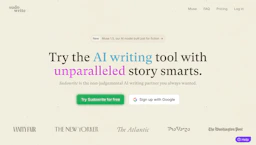
Compose with a Writing Generator to expand scenes, refine voice, and manage story bibles while using AI Prompts to brainstorm characters and plot arcs.
Top deal: Free trial offer
| Feature | Easy Peasy | SudoWrite |
|---|---|---|
| Top features | Faster drafting: templates and prompts reduce writing time and edits. · Context-aware chat: include URLs and uploads for informed replies. · Image creation: generate abstract or realistic visuals from text prompts. | Speed up long-form drafting with multi-thousand-word generation and continuity tools. · Expand brief passages into fuller scenes to improve pacing and immersion. · Refine voice and tone with targeted rephrasing and style examples. |
| Pricing model | Freemium | Free |
| Free plan | Yes | Yes |
| Active deals | 5 active | 2 active |
| Categories | AI Assistant, Writing Generator, Image Generators, AI Prompts, LLM | Writing Generator, AI Prompts, AI Assistant, LLM, Image Generators |
| Website | Visit Easy Peasy | Visit SudoWrite |
Freemium access is available; paid tiers add higher limits and extra features. Check the official site for current details.
Free plan available. Check the official site for current details.
Combines chat, writing, and image tools in one freemium platform with URL and file inputs for context-aware responses.
SudoWrite is designed specifically for long-form fiction, pairing manuscript organization with tools for character tracking and chapter continuity.
Easy Peasy is freemium and SudoWrite is free — compare their pricing plans below to see which fits your budget.
Yes — Easy Peasy has 5 active deals and SudoWrite has 2 active deals on AI Tools Saver.
The tools overlap heavily — compare their feature lists above to spot the differences.
Both Easy Peasy and SudoWrite are AI Assistant, Writing Generator, Image Generators, AI Prompts, LLM tools, so they can cover similar use cases.