
Filter Remover
AI tool for removing photo filters and restoring natural images.

Side-by-side features, pricing, and active deals — pick a different matchup any time.
AI tool for removing photo filters and restoring natural images.
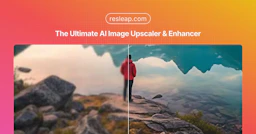
ResLeap is an AI-powered image enhancer and upscaler that allows users to enlarge images up to 8x while improving clarity and detail.
| Feature | Filter Remover | ResLeap |
|---|---|---|
| Top features | One-tap Filter Remover — Easily remove filters with a single click. · Natural Skin Restoration — Restore real skin textures and imperfections. · Black & White Colorization — Bring realistic tones back to vintage and monochrome photos. | 8x Image Upscale — Enlarge images up to 8 times with stunning clarity and detail. · 8K Ultra Resolution — Upscale images to 8K resolution, revealing amazing details. · Detail Revealer — Bring hidden details to life and enhance every pixel. |
| Pricing model | Paid | Freemium |
| Free plan | No | Yes |
| Active deals | — | — |
| Categories | Photo Editing | Photo Editing |
| Website | Visit Filter Remover | Visit ResLeap |
Filter Remover offers various pricing plans based on your needs. Monthly and yearly subscriptions are available, with yearly billing providing savings of up to 25%. The Basic plan starts at $19.90/month or $14.90 when billed yearly, the Pro plan costs $49.90/month or $39.90/year, and the Max plan is priced at $99.90/month or $79.90/year. Each plan includes a specific number of credits for restoring photos.
For more detailed pricing information and to choose a plan that suits you, please visit the official pricing page.
ResLeap offers several pricing plans to cater to different user needs:
Choose Filter Remover for its straightforward and effective approach to restoring photos. Unlike traditional photo editors that add layers of beauty, this tool focuses on undoing filters and preserving the original identity of the subject, ensuring that the images look genuine. Its ability to remove a variety of filters while keeping the character of your photos makes it a unique solution for anyone seeking authenticity in their visual content.
Additionally, Filter Remover prioritizes user privacy by processing uploads securely, making it a reliable choice for those concerned about confidentiality.
ResLeap is freemium while Filter Remover is paid, so ResLeap is the cheaper way to start.
Neither tool has active deals right now — new deals are added regularly, so check back soon.
The tools overlap heavily — compare their feature lists above to spot the differences.
Both Filter Remover and ResLeap are Photo Editing tools, so they can cover similar use cases.
More matchups featuring Filter Remover or ResLeap.