
Freebeat
Create stylized music videos with Freebeat AI video editor. Convert audio into visuals effortlessly. Try this AI assistant for creative video production.
Top deal: 10% OFF on all plans (1 week for Basic & 1 month for other plans)

Side-by-side features, pricing, and active deals — pick a different matchup any time.
Create stylized music videos with Freebeat AI video editor. Convert audio into visuals effortlessly. Try this AI assistant for creative video production.
Top deal: 10% OFF on all plans (1 week for Basic & 1 month for other plans)
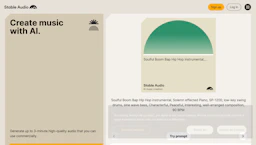
Generate with Music Generators to create tracks and soundscapes; transform vocals, apply audio style transfer, and export stereo files for commercial use.
Top deal: Free tier offering 20 free 45-second generations per month.
| Feature | Freebeat | Stable Audio |
|---|---|---|
| Top features |
|
|
| Pricing model | Paid | Paid |
| Free plan | No | No |
| Active deals | 7 active | 1 active |
| Categories | Video Generators, Music Generators, Video Editors, Voice Generators, AI Prompts, AI Assistant | Music Generators, Voice Generators, AI Prompts |
| Website | Visit Freebeat | Visit Stable Audio |
Freebeat offers paid plans. Check the official site for current details.
Stable Audio is a paid service offering model access and audio downloads. Check the official site for current details.
Freebeat uniquely automates music video creation with AI, reducing production time and technical barriers for creators and educators alike.
Designed for musicians and sound designers, it integrates text prompts with source audio to speed iteration and refine vocal material.
Both Freebeat and Stable Audio are paid tools — compare their pricing plans below to see which fits your budget.
Yes — Freebeat has 7 active deals and Stable Audio has 1 active deal on AI Tools Saver.
Freebeat adds Video Generators, Video Editors, AI Assistant on top of what both tools share.
Both Freebeat and Stable Audio are Music Generators, Voice Generators, AI Prompts tools, so they can cover similar use cases.
More matchups featuring Freebeat or Stable Audio.