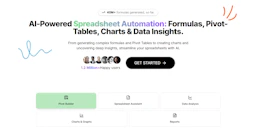
GPTExcel
Maximize spreadsheet efficiency with AI-powered formula and script generation.

Side-by-side features, pricing, and active deals — pick a different matchup any time.
Maximize spreadsheet efficiency with AI-powered formula and script generation.

Spoke.ai revolutionizes team communication and project management with AI-powered tools.
| Feature | GPTExcel | Spoke.ai |
|---|---|---|
| Top features | Excel Formula Generator — Generate and understand complex formulas. · Script Generator AI — Create automation scripts for multiple platforms. · SQL Query Generator — Simplify crafting and troubleshooting SQL queries. | AI-Powered Insights — Deliver the right information at the right time. · Enhanced Communication — Break through workplace noise for clearer updates. · Integration with Slack — Seamlessly connect with popular communication tools. |
| Pricing model | Freemium | Paid |
| Free plan | Yes | No |
| Active deals | — | — |
| Categories | Productivity Tools | Productivity Tools, AI Assistant |
| Website | Visit GPTExcel | Visit Spoke.ai |
GPTExcel offers a free plan that allows users to get started with essential features without a credit card. This plan includes limited access to AI chat messages and tool usage, making it a great option for casual users.
For those looking for more advanced capabilities, GPTExcel has a Pro plan that provides increased usage limits and additional features. Current pricing details are available on the official pricing page for users to explore their options further.
Current pricing details are available on the official pricing page.
For more information about plans and options, please visit the Spoke.ai website.
Choosing GPTExcel means empowering your spreadsheet workflow with AI capabilities that automate repetitive tasks and enhance productivity. With features like the chat interface that allows direct interaction with your data, image-to-table conversion, and comprehensive analysis tools, GPTExcel stands out as a powerful assistant that caters to both professionals and casual users alike.
Its ability to generate a wide range of scripts and formulas, coupled with support for multiple platforms, makes it an essential tool for anyone involved in data management and analysis. Streamline your processes and gain insights that drive decisions with GPTExcel.
Choosing Spoke.ai means investing in a tool that prioritizes effective communication and project management. Its integration with Slack and Salesforce enhances its reliability and functionality, making it a robust choice for teams looking to improve collaboration.
By leveraging advanced AI capabilities, Spoke.ai aims to empower users with actionable insights and streamlined workflows, helping teams achieve their goals more efficiently.
GPTExcel is freemium while Spoke.ai is paid, so GPTExcel is the cheaper way to start.
Neither tool has active deals right now — new deals are added regularly, so check back soon.
Spoke.ai adds AI Assistant on top of what both tools share.
Both GPTExcel and Spoke.ai are Productivity Tools tools, so they can cover similar use cases.
More matchups featuring GPTExcel or Spoke.ai.