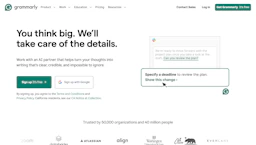
Grammarly
Improve writing with a Writing Generator that corrects grammar, tightens phrasing, and provides AI Paraphraser suggestions in apps for clearer copy.
Top deal: Promo code for Gamsgo platform offering discounted Grammarly access

Side-by-side features, pricing, and active deals — pick a different matchup any time.
Improve writing with a Writing Generator that corrects grammar, tightens phrasing, and provides AI Paraphraser suggestions in apps for clearer copy.
Top deal: Promo code for Gamsgo platform offering discounted Grammarly access
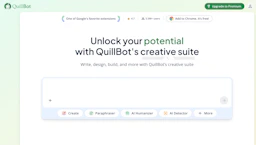
Improve writing with an AI Paraphraser that rewrites, shortens, and refines your text across formats; ideal for students, marketers, and professionals.
Top deal: 30% off on Quillbot Premium annual payment plan
| Feature | Grammarly | Quillbot |
|---|---|---|
| Top features | Real-time grammar and spell checks to cut down editing cycles. · Tone and clarity suggestions that improve reader understanding. · Concise rewrite recommendations to make messages more direct. | Paraphrase modes that rewrite text while preserving meaning. · Grammar and punctuation correction to produce cleaner drafts. · Tone adjustment to match audience and purpose. |
| Pricing model | Free | Paid |
| Free plan | Yes | No |
| Active deals | 5 active | 12 active |
| Categories | Writing Generator, AI Paraphraser, AI Prompts, Content Creation Tools, Education | AI Paraphraser, Writing Generator, Education, Marketing |
| Website | Visit Grammarly | Visit Quillbot |
Offers a free plan with basic features. Check the official site for current details.
This tool requires a paid subscription. Check the official site for current details.
Combines automated grammar, tone, and clarity guidance with broad app integrations, while stating that user content is not sold or used to train third-party models.
Combines paraphrasing, tone, and editing tools in a single suite to speed revisions and deliver clearer, more consistent writing.
Grammarly is free while Quillbot is paid, so Grammarly is the cheaper way to start.
Yes — Grammarly has 5 active deals and Quillbot has 12 active deals on AI Tools Saver.
Grammarly focuses on AI Prompts, Content Creation Tools, while Quillbot is built for Marketing — see the feature breakdown above for details.
Both Grammarly and Quillbot are Writing Generator, AI Paraphraser, Education tools, so they can cover similar use cases.
More matchups featuring Grammarly or Quillbot.