
hearsub
Real-time YouTube subtitle translation and AI dubbing extension.

Side-by-side features, pricing, and active deals — pick a different matchup any time.
Real-time YouTube subtitle translation and AI dubbing extension.
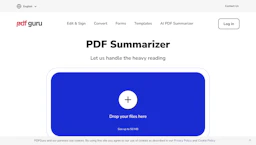
Summarize and query PDFs using an AI Assistant that extracts key points, translates text, and delivers concise answers for research and reports now.
Top deal: General discount offers for PDF Flex services
| Feature | hearsub | PDF Flex |
|---|---|---|
| Top features | Real-time Subtitles — Translates captions instantly as video plays. · Natural AI Dubbing — Provides intuitive voiceover matching playback. · Multi-speaker Recognition — Detects and differentiates multiple speakers. | Instant summaries to reduce manual reading time. · Conversational Q&A to find answers quickly. · Extract tables and figures for Data Analytics use. |
| Pricing model | Free | Free |
| Free plan | Yes | Yes |
| Active deals | — | 1 active |
| Categories | Translation, Content Creation Tools, Education | AI Assistant, Data Analytics, Translation, Education, Content Creation Tools |
| Website | Visit hearsub | Visit PDF Flex |
HearSub is currently free for individual users without any usage limits. Should paid features be introduced in the future, users will be notified in advance, ensuring no unexpected changes.
Free to use via web. Check the official site for current details.
Choose HearSub for its ability to break language barriers by delivering real-time translated subtitles and AI dubbing, empowering users to engage with global content effortlessly. Its commitment to user experience and no-cost access makes it an attractive option for anyone looking to learn or gather insights from foreign media without the constraints of traditional language learning methods.
PDF Flex combines conversational PDF access with broad language support and web delivery, so users can extract answers and data without manual scanning.
Both hearsub and PDF Flex are free tools — compare their pricing plans below to see which fits your budget.
PDF Flex has 1 active deal on AI Tools Saver; hearsub currently has none.
PDF Flex adds AI Assistant, Data Analytics on top of what both tools share.
Both hearsub and PDF Flex are Translation, Content Creation Tools, Education tools, so they can cover similar use cases.