HoldSpeak vs Keebye

Side-by-side features, pricing, and active deals — pick a different matchup any time.

HoldSpeak - AI Tool Profile and Logo Preview

HoldSpeak

PaidAI AssistantProductivity ToolsVoice Generators

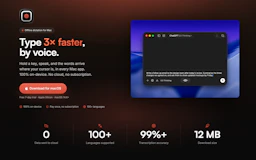
HoldSpeak is a voice-to-text application for Mac that allows users to dictate text directly into any app, operating entirely on-device without cloud processing.

Keebye - AI Tool Profile and Logo Preview

Keebye

FreemiumAI AssistantProductivity ToolsVoice Generators

Keebye is an on-device voice dictation tool for macOS that allows users to dictate text into any focused application using a push-to-talk mechanism.

⚡ Key Differences

  • Only Keebye has a free plan

At a Glance

HoldSpeak vs Keebye at a glance
FeatureHoldSpeakKeebye
Top features
  • Voice-to-Text DictationType three times faster by speaking directly into any Mac application.
  • 100% On-Device ProcessingAll voice recognition happens locally, ensuring privacy and security.
  • Offline FunctionalityDictate text without an internet connection, making it usable anywhere.
  • On-device dictationSpeech-to-text runs entirely on your Mac without cloud reliance.
  • Push-to-talk functionalityHold a designated key to dictate, with text inserted upon release.
  • Terminal integrationDictation works seamlessly in terminal applications with terminal-aware chunking.
Pricing modelPaidFreemium
Free planNoYes
Active deals——
CategoriesAI Assistant, Productivity Tools, Voice GeneratorsAI Assistant, Productivity Tools, Voice Generators
WebsiteVisit HoldSpeakVisit Keebye

Which One Should You Pick?

Choose HoldSpeak if:

  • You care most about: Voice-to-Text Dictation — Type three times faster by speaking directly into any Mac application., 100% On-Device Processing — All voice recognition happens locally, ensuring privacy and security.

Choose Keebye if:

  • You want to try it free before paying

Features

HoldSpeak

  • Voice-to-Text Dictation — Type three times faster by speaking directly into any Mac application.
  • 100% On-Device Processing — All voice recognition happens locally, ensuring privacy and security.
  • Offline Functionality — Dictate text without an internet connection, making it usable anywhere.
  • Multi-Language Support — Automatically recognizes and supports over 100 languages.
  • No Account Required — Use the tool without signing up or logging in, keeping your data private.
  • Customizable Hotkeys — Set your own hotkeys to streamline your workflow.
  • Personal Dictionary — Add specific terms, names, or products for accurate transcription.

Keebye

  • On-device dictation — Speech-to-text runs entirely on your Mac without cloud reliance.
  • Push-to-talk functionality — Hold a designated key to dictate, with text inserted upon release.
  • Terminal integration — Dictation works seamlessly in terminal applications with terminal-aware chunking.
  • Custom dictionary — Teach Keebye specific jargon and product names for accurate transcription.
  • Local history management — Transcripts are stored locally and auto-delete after 30 days.
  • Multilingual support — Dictate in 25 languages with customizable language settings.
  • Offline operation — Once the speech model is downloaded, transcription can occur without an internet connection.
  • Secure field handling — Keebye does not insert text into secure fields, such as password prompts.

Pricing

HoldSpeak

HoldSpeak offers a straightforward pricing model with no subscriptions. Users can make a one-time purchase for lifetime access:

  • 1 License: $19 for one Mac
  • 2 Licenses: $29 for two Macs
  • 3 Licenses: $39 for three Macs

Each purchase includes unlimited transcription and one year of updates, with an option to renew for another year at a discount.

Keebye

Keebye offers a free trial period followed by a subscription model. Users can choose from the following options:

  • Monthly subscription
  • Annual subscription
  • One-time purchase for lifetime access

All plans include on-device transcription, and users can start with a 14-day free trial.

Why Choose Each Tool

HoldSpeak

No information available.

Keebye

  • On-device Processing: Keebye performs all speech-to-text transcription locally on the user's Mac, ensuring that audio data never leaves the device, enhancing privacy and security.
  • Terminal Integration: The tool is designed to work seamlessly with terminal applications, allowing users to dictate commands and text directly into terminal sessions, including support for SSH and tmux.
  • Custom Dictionary: Users can create a custom dictionary to recognize specific jargon, product names, and acronyms, improving accuracy in specialized contexts.
  • Offline Functionality: Once the speech model is downloaded, Keebye can operate without an internet connection, making it reliable for use in various environments.

Frequently Asked Questions

Is HoldSpeak cheaper than Keebye?

Keebye is freemium while HoldSpeak is paid, so Keebye is the cheaper way to start.

Do HoldSpeak or Keebye have active deals?

Neither tool has active deals right now — new deals are added regularly, so check back soon.

What can HoldSpeak do that Keebye can’t?

The tools overlap heavily — compare their feature lists above to spot the differences.

What do HoldSpeak and Keebye have in common?

Both HoldSpeak and Keebye are AI Assistant, Productivity Tools, Voice Generators tools, so they can cover similar use cases.