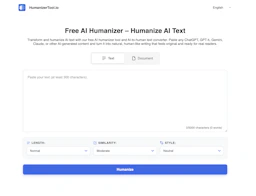
HumanizerTool
Transform and humanize AI-generated text with a free online converter.

Side-by-side features, pricing, and active deals — pick a different matchup any time.
Transform and humanize AI-generated text with a free online converter.
Pavleur is an AI tool that captures customer calls through screen recording, transcripts, and screenshots, supporting over 40 languages.
| Feature | HumanizerTool | Pavleur |
|---|---|---|
| Top features | Fast Text Humanization — Quickly transforms AI text to human-like writing. · Multiple Tone Options — Choose from 8 tones to suit different occasions. · Purpose-Based Modes — 9 modes adapt content for various writing needs. | Multi-language Support — Capture recordings in over 40 languages. · Screen Recording — Record customer calls with video and audio. · Transcription — Generate transcripts of meetings automatically. |
| Pricing model | Free | Freemium |
| Free plan | Yes | Yes |
| Active deals | — | — |
| Categories | Content Creation Tools, AI Assistant | AI Assistant, Automation, Content Creation Tools |
| Website | Visit HumanizerTool | Visit Pavleur |
The AI Humanizer Tool is entirely free to use. It does not require an account or any payment information. For current pricing details and any potential future offerings, users are encouraged to visit the official pricing page on the website.
Pavleur offers a free plan to get started with its AI meeting copilot features. The pricing model is designed to cater to various user needs, allowing for recording and capturing of meetings without storing data on their servers.
Choosing the AI Humanizer Tool means gaining access to a quick, efficient, and effective way to enhance the readability of AI-generated content. Its user-friendly interface and comprehensive features make it an ideal choice for anyone looking to ensure their writing meets human standards.
Additionally, with versatility in style and language options, this tool accommodates a wide range of writing tasks, making it essential for diverse users from various fields who need their content to sound natural and approachable.
HumanizerTool is free and Pavleur is freemium — compare their pricing plans below to see which fits your budget.
Neither tool has active deals right now — new deals are added regularly, so check back soon.
Pavleur adds Automation on top of what both tools share.
Both HumanizerTool and Pavleur are Content Creation Tools, AI Assistant tools, so they can cover similar use cases.
More matchups featuring HumanizerTool or Pavleur.