Magicflow vs Smooth Recorder

Side-by-side features, pricing, and active deals — pick a different matchup any time.

Magicflow - AI Tool Profile and Logo Preview

Magicflow

PaidProductivity Tools

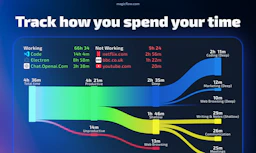
Magicflow is an AI-driven productivity tracker that helps you focus and improve work efficiency.

Smooth Recorder - AI Tool Profile and Logo Preview

Smooth Recorder

PaidAudio EditingContent Creation ToolsProductivity Tools

Smooth Recorder is a Mac screen recording tool that automatically adds zooms, captions, and cursor effects, simplifying the demo creation process.

Top deal: Black Friday 30% OFF

⚡ Key Differences

  • Only Smooth Recorder has active deals (1)
  • Only Smooth Recorder: Audio Editing, Content Creation Tools

At a Glance

Magicflow vs Smooth Recorder at a glance
FeatureMagicflowSmooth Recorder
Top features
  • Automatic Time TrackingMonitor your work sessions effortlessly.
  • Weekly/Monthly ReportsGet insights into your productivity trends.
  • Real-Time Productivity MetricsUnderstand your performance as you work.
  • Auto-zoom RecordingAutomatically zooms in on clicks and actions during screen recording.
  • Webcam IntegrationRecord with your webcam in various layouts, allowing for flexibility in presentation.
  • CaptioningGenerates captions for spoken words, with options to edit and remove filler words.
Pricing modelPaidPaid
Free planNoNo
Active deals—1 active
CategoriesProductivity ToolsAudio Editing, Content Creation Tools, Productivity Tools
WebsiteVisit MagicflowVisit Smooth Recorder

Which One Should You Pick?

Choose Magicflow if:

  • You care most about: Automatic Time Tracking — Monitor your work sessions effortlessly., Weekly/Monthly Reports — Get insights into your productivity trends.

Choose Smooth Recorder if:

  • You need Audio Editing or Content Creation Tools
  • You want its 1 active deal

Features

Magicflow

  • Automatic Time Tracking — Monitor your work sessions effortlessly.
  • Weekly/Monthly Reports — Get insights into your productivity trends.
  • Real-Time Productivity Metrics — Understand your performance as you work.
  • Live Flow Timers — Stay focused with timers designed for productivity.
  • Pomodoro Timers — Utilize the Pomodoro technique to enhance focus.
  • Distraction Warnings — Get alerts for distractions to maintain flow.
  • Glowing Flow Meter — Visualize your focus level in real-time.

Smooth Recorder

  • Auto-zoom Recording — Automatically zooms in on clicks and actions during screen recording.
  • Webcam Integration — Record with your webcam in various layouts, allowing for flexibility in presentation.
  • Captioning — Generates captions for spoken words, with options to edit and remove filler words.
  • Smart Redaction — Automatically blurs sensitive information in screenshots, such as faces and personal data.
  • Screenshot and GIF Capture — Capture scrolling screenshots and create GIFs directly from the app.
  • Export Options — Export recordings in multiple formats including MP4, MOV, and GIF.
  • Privacy Focused — All processing occurs on your Mac, ensuring recordings remain private.

Pricing

Magicflow

Magicflow offers pricing options of $8 billed annually or $15 billed monthly for its Pro features. Additionally, they provide pre-seed founder, student, and hardship discounts. For the most current pricing details, please visit the official pricing page.

Smooth Recorder

Smooth Recorder offers a straightforward pricing model:

  • One-time payment of $19 for lifetime access
  • No subscription required
  • Regular price is $49, with promotional pricing available

Why Choose Each Tool

Magicflow

Choose Magicflow for its unique approach to productivity enhancement. It doesn’t just track time but actively helps you understand and manage distractions, leading to greater focus and efficiency.

The integration of live metrics and actionable suggestions sets Magicflow apart from traditional tools, empowering users to achieve a state of flow and optimize their work sessions better than ever.

Smooth Recorder

No information available.

Frequently Asked Questions

Is Magicflow cheaper than Smooth Recorder?

Both Magicflow and Smooth Recorder are paid tools — compare their pricing plans below to see which fits your budget.

Do Magicflow or Smooth Recorder have active deals?

Smooth Recorder has 1 active deal on AI Tools Saver; Magicflow currently has none.

What can Magicflow do that Smooth Recorder can’t?

Smooth Recorder adds Audio Editing, Content Creation Tools on top of what both tools share.

What do Magicflow and Smooth Recorder have in common?

Both Magicflow and Smooth Recorder are Productivity Tools tools, so they can cover similar use cases.