
MakeBestMusic
Generate tracks using Music Generators to get full songs, isolated stems, MIDI exports, and voice swaps in a freemium studio designed for creators.
Top deal: Referral link for MakeBestMusic

Side-by-side features, pricing, and active deals — pick a different matchup any time.
Generate tracks using Music Generators to get full songs, isolated stems, MIDI exports, and voice swaps in a freemium studio designed for creators.
Top deal: Referral link for MakeBestMusic
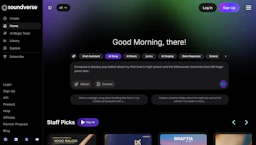
Create with Music Generators to craft original songs, stems, and lyrics using conversational AI, simplify audio editing, and publish from a free tier.
Top deal: 75% off your first three months of Soundverse Premium
| Feature | MakeBestMusic | Soundverse |
|---|---|---|
| Top features | Fast text-to-song generation to create demo-ready tracks quickly. · Built-in stem splitter that exposes vocals and instrument stems for remixing. · MIDI export for routing generated parts into a DAW or VSTs. | Speed idea-to-demo creation with conversational prompts. · Generate lyrics, melodies, and stems quickly. · Built-in Audio Editing tools for rapid adjustments. |
| Pricing model | Free | Free |
| Free plan | Yes | Yes |
| Active deals | 3 active | 3 active |
| Categories | Music Generators, Voice Generators, Audio Editing, LLM, Automation | Music Generators, Audio Editing, Voice Generators, LLM, Automation |
| Website | Visit MakeBestMusic | Visit Soundverse |
Free to use with optional paid upgrades. Check the official site for current details.
Offers a free tier with basic features; paid plans unlock advanced capabilities. Check the official site for current details.
Provides editable outputs—stems and MIDI—so creators can turn generated tracks into production-ready assets without starting from scratch.
Combines conversational composition and integrated audio tools to help creators produce and edit music without extensive technical setup.
Both MakeBestMusic and Soundverse are free tools — compare their pricing plans below to see which fits your budget.
Yes — MakeBestMusic has 3 active deals and Soundverse has 3 active deals on AI Tools Saver.
The tools overlap heavily — compare their feature lists above to spot the differences.
Both MakeBestMusic and Soundverse are Music Generators, Voice Generators, Audio Editing, LLM, Automation tools, so they can cover similar use cases.