Meshy
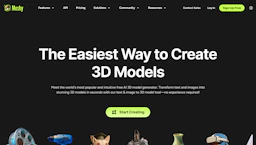
Create with 3D Model Generators to convert text or images into editable 3D assets for games, AR/VR, and 3D printing, with instant free downloads.
Top deal: 20% off for a month

Side-by-side features, pricing, and active deals — pick a different matchup any time.
Create with 3D Model Generators to convert text or images into editable 3D assets for games, AR/VR, and 3D printing, with instant free downloads.
Top deal: 20% off for a month

Generate with 3D Model Generators to create 3D models from text, images, or sketches; automates retopology, textures, and exports to .glb/.obj; free plan.
Top deal: 500 bonus credits for first 300 sign-ups
| Feature | Meshy | Tripo AI |
|---|---|---|
| Top features | Save time with instant text-to-3D generation for rapid iteration. · Export in industry formats to fit existing game and production pipelines. · Built-in mesh fixes and poly management to meet production constraints. | Fast text- or image-driven model generation to speed concept iterations. · Automated retopology and PBR texture generation for cleaner assets. · Export to .glb, .obj, .fbx, and .stl for game and 3D pipelines. |
| Pricing model | Free | Free |
| Free plan | Yes | Yes |
| Active deals | 9 active | 15 active |
| Categories | 3D Model Generators, Image Generators, Games, Automation | 3D Model Generators, Automation, Image Generators, Games, AI for Coding |
| Website | Visit Meshy | Visit Tripo AI |
Free to use; Check the official site for current details.
Free tier available. Check the official site for current details.
Delivers fast, production-ready exports with built-in post-processing and direct plugins for common engines, enabling teams to add 3D assets into workflows quickly.
Delivers quick single-image and prompt-based 3D reconstruction with export-ready outputs. Provides an open-source reconstruction model plus an API-first workflow for developers.
Both Meshy and Tripo AI are free tools — compare their pricing plans below to see which fits your budget.
Yes — Meshy has 9 active deals and Tripo AI has 15 active deals on AI Tools Saver.
Tripo AI adds AI for Coding on top of what both tools share.
Both Meshy and Tripo AI are 3D Model Generators, Image Generators, Games, Automation tools, so they can cover similar use cases.