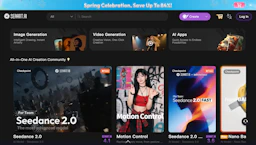
SeaArt
Generate images with Image Generators and create video or voice content; a free creative app offering character chats, upscaling, and model training tools.
Top deal: Exclusive discount code for SeaArt AI credits and discounts

Side-by-side features, pricing, and active deals — pick a different matchup any time.
Generate images with Image Generators and create video or voice content; a free creative app offering character chats, upscaling, and model training tools.
Top deal: Exclusive discount code for SeaArt AI credits and discounts
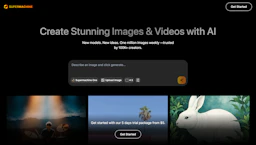
Generate with Image Generators original images fast for portraits, social posts and marketing, with editable outputs, commercial rights, and Photo Editing.
Top deal: 10% discount code for SuperMachine
| Feature | SeaArt | SUPERMACHINE |
|---|---|---|
| Top features | Fast text-to-image generation using multiple model types for different styles. · Create motion from prompts or images using Video Generators for short animations. · Voice synthesis and tone options for quick narration and character voices. | Generate distinct portraits and social graphics quickly with multiple models and aspect ratios. · Edit outputs on an integrated canvas to fine-tune composition and details. · Scale and reshape faces with precise controls to improve image quality. |
| Pricing model | Free | Paid |
| Free plan | Yes | No |
| Active deals | 5 active | 2 active |
| Categories | Image Generators, Video Generators, Voice Generators, Art Generator, AI Prompts, LLM | Image Generators, Art Generator, Photo Editing, AI Prompts, LLM |
| Website | Visit SeaArt | Visit SUPERMACHINE |
SeaArt is free to use with starter credits. Check the official site for current details.
Paid plans are available. Check the official site for current details.
An integrated creative hub that combines image, video, and audio generation with in-app model training and a community for sharing and remixing.
Provides an editable canvas plus commercial-use outputs so creators can produce production-ready images without separate licensing steps.
SeaArt is free while SUPERMACHINE is paid, so SeaArt is the cheaper way to start.
Yes — SeaArt has 5 active deals and SUPERMACHINE has 2 active deals on AI Tools Saver.
SeaArt focuses on Video Generators, Voice Generators, while SUPERMACHINE is built for Photo Editing — see the feature breakdown above for details.
Both SeaArt and SUPERMACHINE are Image Generators, Art Generator, AI Prompts, LLM tools, so they can cover similar use cases.
More matchups featuring SeaArt or SUPERMACHINE.