SnapPChart vs WPTurbo

Side-by-side features, pricing, and active deals — pick a different matchup any time.

SnapPChart - AI Tool Profile and Logo Preview

SnapPChart

FreemiumAI and HealthcareData AnalyticsAI for Coding

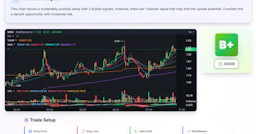
SnapPChart is an AI tool that analyzes trading charts for stocks, forex, and crypto, providing a grade and actionable insights based on the setup.

WPTurbo - AI Tool Profile and Logo Preview

WPTurbo

FreemiumAI for Coding

AI-driven WordPress code generation for developers, enhancing speed and customization.

⚡ Key Differences

  • Only SnapPChart: AI and Healthcare, Data Analytics

At a Glance

SnapPChart vs WPTurbo at a glance
FeatureSnapPChartWPTurbo
Top featuresAI Chart Grading — Grades trade setups from A+ to F based on chart analysis. · Entry and Stop Loss Recommendations — Provides specific entry zones and stop loss levels for trades. · Target and Risk Assessment — Suggests profit targets and evaluates risk-to-reward ratios.Post Type Generator — Create custom post types effortlessly. · Taxonomy Generator — Generate taxonomies tailored to your needs. · Menu Generator — Easily create and manage WordPress menus.
Pricing modelFreemiumFreemium
Free planYesYes
Active deals
CategoriesAI and Healthcare, Data Analytics, AI for CodingAI for Coding
WebsiteVisit SnapPChartVisit WPTurbo

Which One Should You Pick?

Choose SnapPChart if:

  • You need AI and Healthcare or Data Analytics

Choose WPTurbo if:

  • You care most about: Post Type Generator — Create custom post types effortlessly., Taxonomy Generator — Generate taxonomies tailored to your needs.

Features

SnapPChart

  • AI Chart Grading — Grades trade setups from A+ to F based on chart analysis.
  • Entry and Stop Loss Recommendations — Provides specific entry zones and stop loss levels for trades.
  • Target and Risk Assessment — Suggests profit targets and evaluates risk-to-reward ratios.
  • Plain-Language Thesis — Delivers a clear explanation of the analysis for easy understanding.
  • Screenshot Compatibility — Accepts chart screenshots from various platforms like TradingView and MetaTrader.
  • Historical Analysis Storage — Saves all analyses for future review and pattern recognition.
  • Customization Options — Adapts grading based on user-defined trading styles and market preferences.

WPTurbo

  • Post Type Generator — Create custom post types effortlessly.
  • Taxonomy Generator — Generate taxonomies tailored to your needs.
  • Menu Generator — Easily create and manage WordPress menus.
  • Shortcode Generator — Quickly generate shortcodes for your site.
  • Hook Generator — Create hooks to extend WordPress functionality.
  • Custom Snippet Generator — Generate snippets for unique requirements.
  • Snippets Library — Store and manage all your code snippets in one place.

Pricing

SnapPChart

SnapPChart offers a tiered pricing model for its AI chart analysis services:

  • Weekly Plan: $4.99 per week for 15 grades.
  • Monthly Plan: $19.99 per month for 100 grades.
  • Yearly Plan: $199.99 per year, providing unlimited grades and a savings compared to the monthly plan.

WPTurbo

Current pricing details are available on the official pricing page.

Why Choose Each Tool

SnapPChart

  • AI-Driven Chart Grading: SnapPChart analyzes trade setups using AI, providing a grade from A+ to F based on the actual chart rather than subjective interpretations.
  • Instant Analysis: Users can upload screenshots from various trading platforms, receiving a detailed analysis, including entry points, stop loss, and profit targets in seconds.
  • Educational Focus: The tool serves as a second opinion, highlighting potential issues in setups, such as missing confluence or poor risk-to-reward ratios, enabling traders to make informed decisions.
  • Customizable Trader Profiles: Users can tailor the AI's grading approach based on their trading style and market preferences, ensuring relevant feedback for their specific strategies.

WPTurbo

WPTurbo allows developers to maintain design consistency and reduce errors by keeping all code snippets organized in a centralized library. Its AI capabilities enable the generation of error-free code quickly, making it an ideal solution for both experienced developers and those less familiar with coding.

Frequently Asked Questions

Is SnapPChart cheaper than WPTurbo?

Both SnapPChart and WPTurbo are freemium tools — compare their pricing plans below to see which fits your budget.

Do SnapPChart or WPTurbo have active deals?

Neither tool has active deals right now — new deals are added regularly, so check back soon.

What can SnapPChart do that WPTurbo can’t?

SnapPChart adds AI and Healthcare, Data Analytics on top of what both tools share.

What do SnapPChart and WPTurbo have in common?

Both SnapPChart and WPTurbo are AI for Coding tools, so they can cover similar use cases.