Liminary Overview, Features & Pricing (2026)
Overview
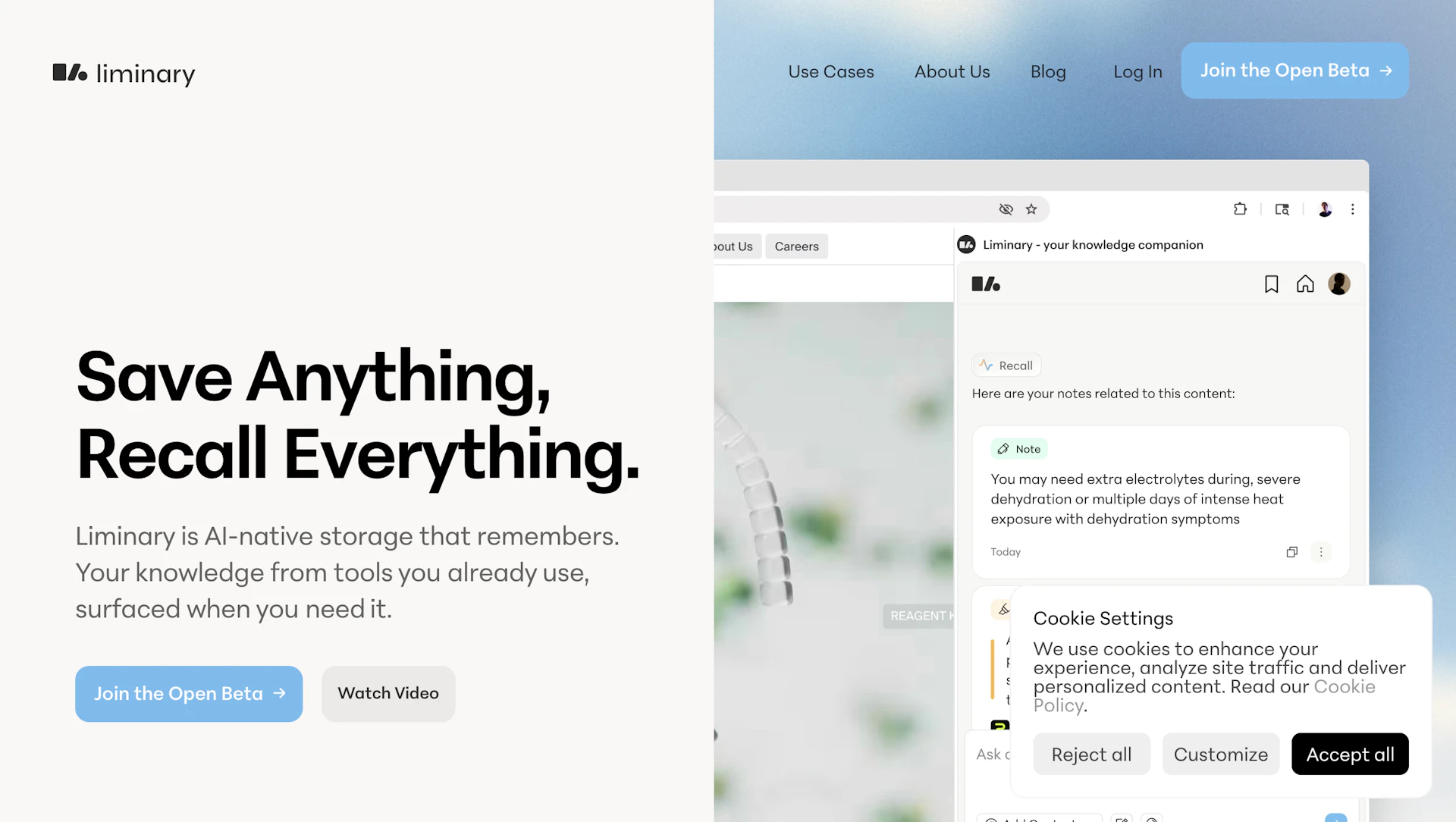
Liminary captures web pages, PDFs, videos, chat logs and notes in a unified library and uses AI to surface relevant items while you work. It links related materials across your archive and provides inline summaries with source citations. A browser extension enables one-click saving and a visual knowledge graph reveals connections across documents. The tool suits researchers, consultants, analysts and teams who synthesize information and prefer a privacy-first approach.
Use cases
- Collect and organize research sources for reports and briefs.
- Summarize meeting transcripts and chat logs to capture action items.
- Surface prior analyses and memos when preparing client work.
- Discover links across academic or policy literature for literature reviews.
How it helps
- Reduce time spent searching by automatically surfacing relevant saved content.
- Increase accuracy and context in reports with inline summaries and citations.
- Speed up drafting by consolidating related sources and notes.
- Maintain control of sensitive content with a privacy-first data model.
Key features
- One-click capture from web pages, PDFs, videos, documents and chats.
- Context-aware recall that surfaces relevant items during projects.
- Inline summarization, source citations and preview snippets.
- Browser extension and integrations for streamlined Productivity Tools workflows.
- Knowledge graph that connects related information across formats.
Pricing
Paid plans and enterprise options are available. Check the official site for current details.
Why to choose Liminary?
Liminary emphasizes proactive synthesis over passive storage by surfacing related documents and citations as you work. Its one-click capture and inline summaries let users focus on analysis rather than manual organization.