
7ART
7ART is an all-in-one AI character platform for generating music, video, and visual content.

Side-by-side features, pricing, and active deals — pick a different matchup any time.
7ART is an all-in-one AI character platform for generating music, video, and visual content.
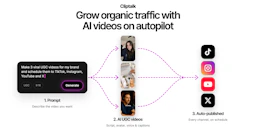
Cliptalk is an AI video creation tool that transforms ideas into ready-to-post videos for social media, automating editing, captions, and B-roll footage.
| Feature | 7ART | ClipTalk |
|---|---|---|
| Top features | AI Short Drama Generator — Turn loglines into full series scripts. · One-Click Storyboards — Generate detailed shot lists from stills. · Cast Consistency — Use the same face and voice throughout episodes. | AI Video Creation — Turn ideas into ready-to-post videos for social media platforms. · Auto-Editing — Automatically edit video clips based on user prompts. · Auto-Captions — Generate quick and precise captions to enhance video reach. |
| Pricing model | Freemium | Freemium |
| Free plan | Yes | Yes |
| Active deals | — | — |
| Categories | Content Creation Tools, Video Generators, Music Generators | Content Creation Tools, Video Generators, AI Assistant |
| Website | Visit 7ART | Visit ClipTalk |
7ART offers a free starter option with no credit card required, allowing users to generate content with starter credits. Paid plans start at $15.19 for the first period, with subsequent renewals at higher rates. Detailed pricing information for each plan, including the number of credits, is available on the official pricing page.
Users can select from plans like the 4-week trial for $15.19, the 12-week plan for $25.99, or the best-value annual plan for $58.49. Each plan offers different credit allocations and benefits like 4K downloads and commercial use rights.
Cliptalk offers several pricing plans to accommodate different user needs:
New accounts receive 50 free credits to try the service, with videos created on the free plan carrying a watermark.
Choosing 7ART means you have access to a powerful comprehensive studio that combines multiple generation features, including music, video, and images, all under one platform. Its focus on character consistency and quick storyboard generation makes it an ideal choice for storytellers looking to produce engaging content efficiently.
Additionally, the user-friendly interface and support for various creative aspects allow both novice and seasoned creators to harness their creativity without getting lost in complicated tools.
Both 7ART and ClipTalk are freemium tools — compare their pricing plans below to see which fits your budget.
Neither tool has active deals right now — new deals are added regularly, so check back soon.
7ART focuses on Music Generators, while ClipTalk is built for AI Assistant — see the feature breakdown above for details.
Both 7ART and ClipTalk are Content Creation Tools, Video Generators tools, so they can cover similar use cases.
More matchups featuring 7ART or ClipTalk.