Erase.bg
Instant AI-driven background removal and image editing for any project.

Side-by-side features, pricing, and active deals — pick a different matchup any time.
Instant AI-driven background removal and image editing for any project.
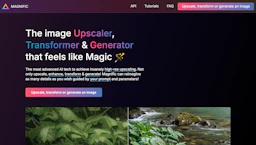
Upscale images with Image Generators to restore detail, boost resolution, and refine photos and illustrations while adjusting creativity and resemblance sliders.
Top deal: 20% off any plan, stacks with annual discount
| Feature | Erase.bg | Magnific AI |
|---|---|---|
| Top features | Background Removal — Quickly remove backgrounds from images and videos. · Bulk Transformation — Process multiple images at once to save time. · API Integration — Seamlessly integrate with existing workflows for enhanced productivity. | Fast high-resolution upscaling with adjustable creativity controls. · Improve Photo Editing outcomes by restoring detail and reducing blur. · Generate and enhance illustrations, renders, and game assets from prompts. |
| Pricing model | Freemium | Free |
| Free plan | Yes | Yes |
| Active deals | — | 7 active |
| Categories | Photo Editing, Design, Image Generators | Image Generators, Photo Editing, Design |
| Website | Visit Erase.bg | Visit Magnific AI |
Erase.bg offers a free starter plan with 3 credits for personal use. For additional needs, premium options start at 10 credits for a one-time payment. Detailed pricing plans can be found on the official pricing page for tailored solutions or enterprise inquiries.
Free plan available. Check the official site for current details.
Choose Erase.bg for its efficiency in background removal and user-friendly experience that caters to both personal and professional needs. It stands out with its bulk processing capability and robust API integration, making it an ideal choice for businesses looking to enhance their image editing workflows.
Magnific AI provides fine-grained sliders to balance new detail and resemblance for controlled upscaling. Its interface and tutorials help creators apply upscaling across common workflows.
Erase.bg is freemium and Magnific AI is free — compare their pricing plans below to see which fits your budget.
Magnific AI has 7 active deals on AI Tools Saver; Erase.bg currently has none.
The tools overlap heavily — compare their feature lists above to spot the differences.
Both Erase.bg and Magnific AI are Photo Editing, Design, Image Generators tools, so they can cover similar use cases.
More matchups featuring Erase.bg or Magnific AI.