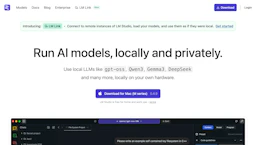
LM Studio
Run local LLM models privately on your own hardware with a free toolkit for hosting, testing, and offline development; supports education workflows.

Side-by-side features, pricing, and active deals — pick a different matchup any time.
Run local LLM models privately on your own hardware with a free toolkit for hosting, testing, and offline development; supports education workflows.
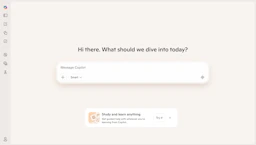
Learn with an AI Assistant that summarizes materials, creates study prompts, and explains concepts to improve comprehension and support education goals.
Top deal: Promo code for Microsoft Copilot for Microsoft 365
| Feature | LM Studio | Microsoft Copilot |
|---|---|---|
| Top features | Run and evaluate LLM models offline for private inference and testing. · Headless deployments for servers and CI to support production workflows. · Local model management and prompt testing to speed iteration and debugging. | Save time with on-demand summaries and draft generation. · Enhance clarity through context-aware explanations and suggestions. · Automate recurring tasks to increase team efficiency. |
| Pricing model | Free | Paid |
| Free plan | Yes | No |
| Active deals | — | 10 active |
| Categories | LLM, AI Assistant, Education, Productivity Tools | AI Assistant, LLM, Productivity Tools, Chatbots, Education |
| Website | Visit LM Studio | Visit Microsoft Copilot |
LM Studio is free for home and work use. Check the official site for current details.
Paid subscription required. Check the official site for current details.
LM Studio combines a desktop GUI with headless deployment options so teams can run LLMs locally, test prompts, and deploy private model hosting without cloud dependency.
Provides in-context assistance integrated with Microsoft productivity apps to streamline tasks and clarify content.
LM Studio is free while Microsoft Copilot is paid, so LM Studio is the cheaper way to start.
Microsoft Copilot has 10 active deals on AI Tools Saver; LM Studio currently has none.
Microsoft Copilot adds Chatbots on top of what both tools share.
Both LM Studio and Microsoft Copilot are LLM, AI Assistant, Education, Productivity Tools tools, so they can cover similar use cases.