oMLX vs SnapPChart

Side-by-side features, pricing, and active deals — pick a different matchup any time.

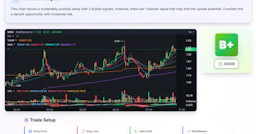
SnapPChart - AI Tool Profile and Logo Preview

SnapPChart

FreemiumAI and HealthcareData AnalyticsAI for Coding

SnapPChart is an AI tool that analyzes trading charts for stocks, forex, and crypto, providing a grade and actionable insights based on the setup.

⚡ Key Differences

  • Only SnapPChart has a free plan
  • Only SnapPChart: AI and Healthcare, Data Analytics

At a Glance

oMLX vs SnapPChart at a glance
FeatureoMLXSnapPChart
Top featuresPaged SSD KV Caching — Persistent KV blocks for rapid recovery. · Continuous Batching — Increases generation speed by handling concurrent requests. · Native macOS Menu Bar App — Manage the server conveniently from the menu bar.AI Chart Grading — Grades trade setups from A+ to F based on chart analysis. · Entry and Stop Loss Recommendations — Provides specific entry zones and stop loss levels for trades. · Target and Risk Assessment — Suggests profit targets and evaluates risk-to-reward ratios.
Pricing modelPaidFreemium
Free planNoYes
Active deals
CategoriesAI for CodingAI and Healthcare, Data Analytics, AI for Coding
WebsiteVisit oMLXVisit SnapPChart

Which One Should You Pick?

Choose oMLX if:

  • You care most about: Paged SSD KV Caching — Persistent KV blocks for rapid recovery., Continuous Batching — Increases generation speed by handling concurrent requests.

Choose SnapPChart if:

  • You want to try it free before paying
  • You need AI and Healthcare or Data Analytics

Features

oMLX

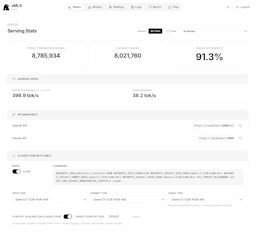
  • Paged SSD KV Caching — Persistent KV blocks for rapid recovery.
  • Continuous Batching — Increases generation speed by handling concurrent requests.
  • Native macOS Menu Bar App — Manage the server conveniently from the menu bar.
  • Multi-Model Serving — Load multiple models simultaneously for diverse tasks.
  • OpenAI + Anthropic API Compatibility — Works with major AI tools like Claude Code and Cursor.
  • Tool Calling Support — Compatible with multiple tool formats for flexible integrations.

SnapPChart

  • AI Chart Grading — Grades trade setups from A+ to F based on chart analysis.
  • Entry and Stop Loss Recommendations — Provides specific entry zones and stop loss levels for trades.
  • Target and Risk Assessment — Suggests profit targets and evaluates risk-to-reward ratios.
  • Plain-Language Thesis — Delivers a clear explanation of the analysis for easy understanding.
  • Screenshot Compatibility — Accepts chart screenshots from various platforms like TradingView and MetaTrader.
  • Historical Analysis Storage — Saves all analyses for future review and pattern recognition.
  • Customization Options — Adapts grading based on user-defined trading styles and market preferences.

Pricing

oMLX

Current pricing details for oMLX are not available. Please visit the official pricing page for more information on costs associated with the tool.

SnapPChart

SnapPChart offers a tiered pricing model for its AI chart analysis services:

  • Weekly Plan: $4.99 per week for 15 grades.
  • Monthly Plan: $19.99 per month for 100 grades.
  • Yearly Plan: $199.99 per year, providing unlimited grades and a savings compared to the monthly plan.

Why Choose Each Tool

oMLX

oMLX stands out for its performance efficiency, especially for coding tasks where quick context recovery is crucial. Its integration with popular AI models and seamless usage on macOS makes it an attractive choice for developers.

With features designed to minimize wait times and maximize productivity, oMLX helps users maintain their focus on coding without complex configurations or lengthy processing delays.

SnapPChart

  • AI-Driven Chart Grading: SnapPChart analyzes trade setups using AI, providing a grade from A+ to F based on the actual chart rather than subjective interpretations.
  • Instant Analysis: Users can upload screenshots from various trading platforms, receiving a detailed analysis, including entry points, stop loss, and profit targets in seconds.
  • Educational Focus: The tool serves as a second opinion, highlighting potential issues in setups, such as missing confluence or poor risk-to-reward ratios, enabling traders to make informed decisions.
  • Customizable Trader Profiles: Users can tailor the AI's grading approach based on their trading style and market preferences, ensuring relevant feedback for their specific strategies.

Frequently Asked Questions

Is oMLX cheaper than SnapPChart?

SnapPChart is freemium while oMLX is paid, so SnapPChart is the cheaper way to start.

Do oMLX or SnapPChart have active deals?

Neither tool has active deals right now — new deals are added regularly, so check back soon.

What can oMLX do that SnapPChart can’t?

SnapPChart adds AI and Healthcare, Data Analytics on top of what both tools share.

What do oMLX and SnapPChart have in common?

Both oMLX and SnapPChart are AI for Coding tools, so they can cover similar use cases.