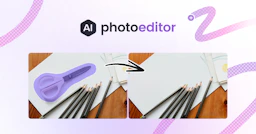
Photo Editor AI
AI-powered tool for seamless photo editing and enhancement.

Side-by-side features, pricing, and active deals — pick a different matchup any time.
AI-powered tool for seamless photo editing and enhancement.
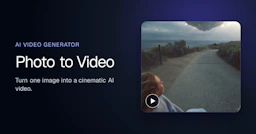
Photo to Video is an AI tool that transforms still images into animated videos, adding natural motion and camera effects in seconds.
| Feature | Photo Editor AI | Photo to Video |
|---|---|---|
| Top features | AI Background Removal — One-click removal with pixel-perfect edges. · Photo Enhancer — Sharpens and restores old or blurry photos. · Generative Fill — Fills in gaps intelligently for seamless edits. | AI Image to Video Generation — Convert still photos into animated video clips with natural motion. · Customizable Camera Movement — Direct specific camera actions like push-ins and close-ups to highlight details. · Multiple AI Models — Utilize various leading AI video models for different animation styles and outputs. |
| Pricing model | Paid | Freemium |
| Free plan | No | Yes |
| Active deals | — | — |
| Categories | Photo Editing | Video Generators, Content Creation Tools, Photo Editing |
| Website | Visit Photo Editor AI | Visit Photo to Video |
PhotoEditor.ai offers several subscription plans, starting with the Starter plan at $9/month, which includes core editing essentials and access to limited AI models. The Pro plan, priced at $15/month, provides complete access to all tools and premium models, making it the most popular option. For power users, the Business plan is available at $35/month with additional credits and dedicated support.
Each plan can be cancelled at any time and features a 40% discount for a limited time on all subscriptions. Current pricing details are available on the official pricing page for more information.
Photo to Video offers a pricing model based on credits. New accounts receive free credits to start, and each video generation consumes a certain number of credits. There is no subscription required.
Choosing PhotoEditor.ai means having access to a comprehensive suite of AI tools tailored for specific photo editing tasks, saving time and improving quality. With a user-friendly interface that requires no downloads, this platform allows seamless edits across devices, making it perfect for anyone—whether you're editing professional images or personal photos. The combination of speed, quality, and versatility makes PhotoEditor.ai a standout choice for photo enhancement.
Photo to Video is freemium while Photo Editor AI is paid, so Photo to Video is the cheaper way to start.
Neither tool has active deals right now — new deals are added regularly, so check back soon.
Photo to Video adds Video Generators, Content Creation Tools on top of what both tools share.
Both Photo Editor AI and Photo to Video are Photo Editing tools, so they can cover similar use cases.
More matchups featuring Photo Editor AI or Photo to Video.