Schedule Builder Overview, Features & Pricing (2026)
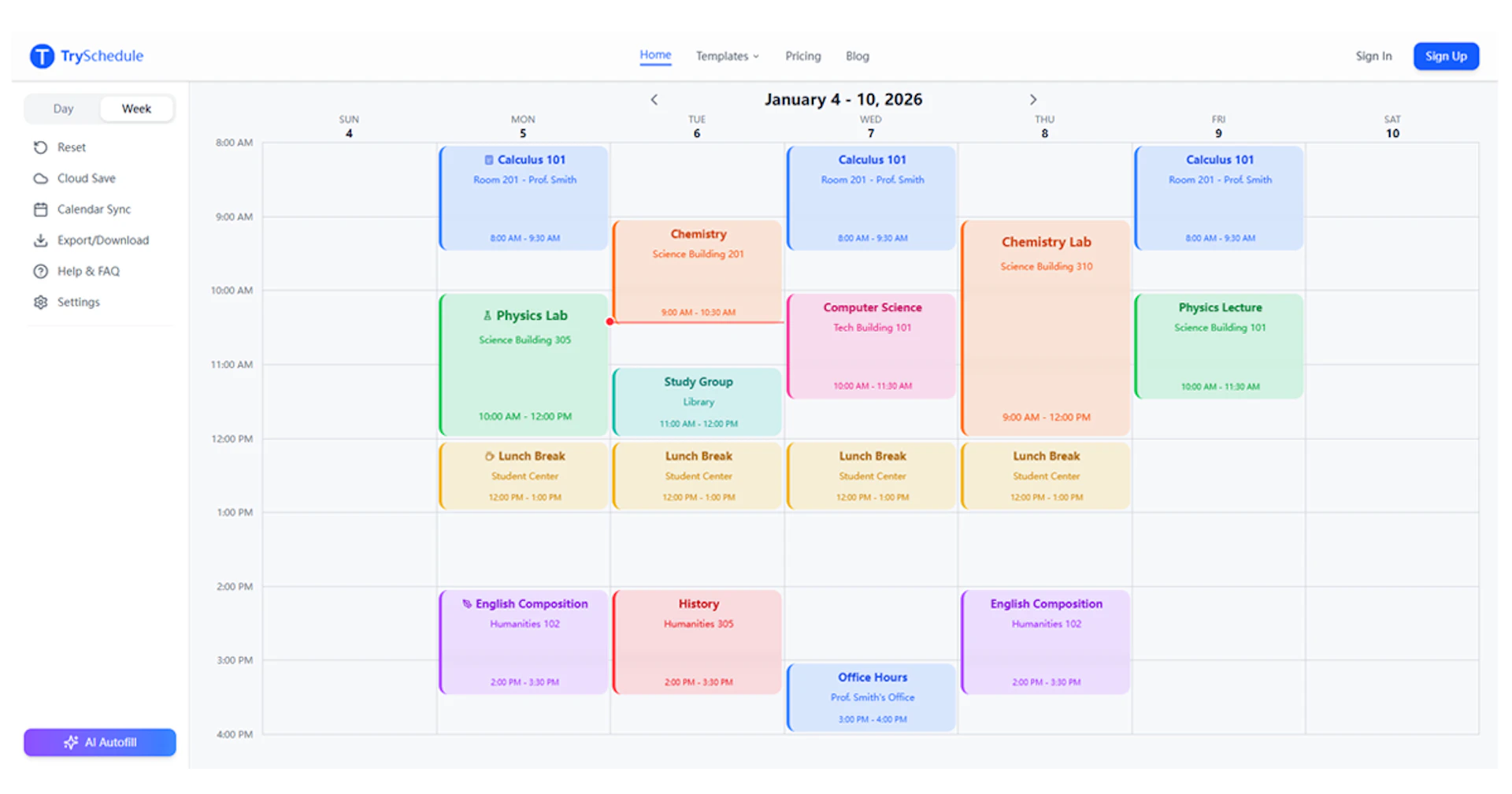
Schedule Builder is a free online tool designed to help users create professional weekly schedules quickly and easily. With a simple drag-and-drop interface, users can add time blocks for various activities, customize them with colors and labels, and organize their week visually.
This tool is ideal for a wide range of users, including students planning class timetables, shift managers creating employee schedules, fitness enthusiasts organizing workout routines, and freelancers managing multiple projects. Its flexibility allows it to adapt to various scheduling needs.
Key capabilities include exporting schedules as high-quality PNG or JPG images for easy sharing and printing. Pro users can also export schedules as PDFs. Schedule Builder provides a straightforward solution for anyone looking to optimize their time management without the need for complex software or subscriptions.
- Drag-and-Drop Interface — Easily create and adjust time blocks for activities on a visual calendar grid.
- No Signup Required — Start building schedules immediately without the need for an account.
- Export Options — Download schedules as PNG or JPG images for free; Pro users can also export as PDF.
- Customizable Layouts — Organize schedules with colors and labels to differentiate between categories like work, study, and personal time.
- Cloud Save — Free users can store up to 10 templates in their browser's local storage.
- Flexible Use Cases — Suitable for students, managers, fitness enthusiasts, and freelancers for various scheduling needs.
- AI Scheduling Tools — Pro features include AI-powered scheduling assistance for optimized planning.
Schedule Builder offers a variety of pricing plans to accommodate different user needs:
- Starter Plan: Free forever, includes unlimited web editing, basic templates, image downloads, browser-based storage, and cloud save for up to 10 templates.
- 7-Day Pass: $4.9 per week, includes all Starter features, AI Auto-Scheduler, high-resolution PDF exports, and access from any device.
- Monthly Plan: $9.9 per month, ideal for frequent users, includes all Starter features plus priority email support.
- Lifetime Plan: $49.9 one-time payment for lifetime access to all Pro features, including priority email support.

Why to choose Schedule Builder?
- No Signup Required: Users can start creating schedules immediately without needing to create an account, eliminating barriers to entry.
- Instant Export Options: Schedules can be exported as high-quality PNG or JPG images for free, with additional PDF export available for Pro users.
- Visual Drag-and-Drop Interface: The intuitive design allows users to easily create and adjust schedules by dragging time blocks, making it accessible for various planning needs.
- Versatile Use Cases: Suitable for a wide range of scheduling needs, including class timetables, employee shifts, and personal routines, all within a single tool.