
Freepik AI
Generate visuals with Image Generators to convert prompts into editable illustrations, vectors, and templates for marketing and product design teams.
Top deal: Promo code for Freepik AI image generator

Side-by-side features, pricing, and active deals — pick a different matchup any time.
Generate visuals with Image Generators to convert prompts into editable illustrations, vectors, and templates for marketing and product design teams.
Top deal: Promo code for Freepik AI image generator
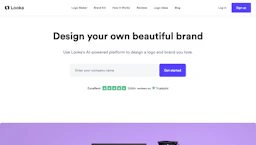
Create with a Logo Generator that turns preferences into customizable brand marks, templates, vector files, and export-ready mockups for web and merchandise.
Top deal: 25% off Looka
| Feature | Freepik AI | Looka |
|---|---|---|
| Top features | Prompt-to-asset generation for illustrations and vectors. · Editable vector exports and common file formats for production. · Style presets and templates to enforce brand consistency. | Fast AI logo generation that produces multiple starting concepts. · Editable templates and vector export for print and web delivery. · Mockup previews to visualize assets on products and digital channels. |
| Pricing model | Paid | Paid |
| Free plan | No | No |
| Active deals | 5 active | 7 active |
| Categories | Image Generators, Art Generator, Design, Photo Editing, Marketing | Logo Generator, Design, Image Generators, Marketing |
| Website | Visit Freepik AI | Visit Looka |
Paid subscriptions and commercial licenses are available. Check the official site for current details.
Looka offers paid plans. Check the official site for current details.
Combines prompt-driven image creation with editable vector outputs and preset styles to simplify production of consistent brand assets.
Looka combines AI-driven logo generation with brand mockups and export options so non-designers can produce usable assets faster.
Both Freepik AI and Looka are paid tools — compare their pricing plans below to see which fits your budget.
Yes — Freepik AI has 5 active deals and Looka has 7 active deals on AI Tools Saver.
Freepik AI focuses on Art Generator, Photo Editing, while Looka is built for Logo Generator — see the feature breakdown above for details.
Both Freepik AI and Looka are Image Generators, Design, Marketing tools, so they can cover similar use cases.
More matchups featuring Freepik AI or Looka.