Photo to Video vs PhotoDiva

Side-by-side features, pricing, and active deals — pick a different matchup any time.

Photo to Video - AI Tool Profile and Logo Preview

Photo to Video

FreemiumVideo GeneratorsContent Creation ToolsPhoto Editing

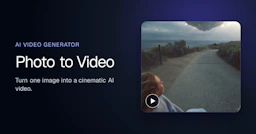
Photo to Video is an AI tool that transforms still images into animated videos, adding natural motion and camera effects in seconds.

PhotoDiva - AI Tool Profile and Logo Preview

PhotoDiva

FreemiumPhoto Editing

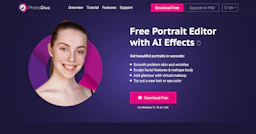
PhotoDiva is a free portrait editor that enhances photos with AI effects.

⚡ Key Differences

  • Only Photo to Video: Video Generators, Content Creation Tools

At a Glance

Photo to Video vs PhotoDiva at a glance
FeaturePhoto to VideoPhotoDiva
Top featuresAI Image to Video Generation — Convert still photos into animated video clips with natural motion. · Customizable Camera Movement — Direct specific camera actions like push-ins and close-ups to highlight details. · Multiple AI Models — Utilize various leading AI video models for different animation styles and outputs.Realistic Virtual Makeup — Add virtual makeup and change eye color effortlessly. · Automatic Retouching — Smooth skin and remove blemishes automatically. · Digital Plastic Surgery — Reshape facial features and enhance body shapes.
Pricing modelFreemiumFreemium
Free planYesYes
Active deals
CategoriesVideo Generators, Content Creation Tools, Photo EditingPhoto Editing
WebsiteVisit Photo to VideoVisit PhotoDiva

Which One Should You Pick?

Choose Photo to Video if:

  • You need Video Generators or Content Creation Tools

Choose PhotoDiva if:

  • You care most about: Realistic Virtual Makeup — Add virtual makeup and change eye color effortlessly., Automatic Retouching — Smooth skin and remove blemishes automatically.

Features

Photo to Video

  • AI Image to Video Generation — Convert still photos into animated video clips with natural motion.
  • Customizable Camera Movement — Direct specific camera actions like push-ins and close-ups to highlight details.
  • Multiple AI Models — Utilize various leading AI video models for different animation styles and outputs.
  • High-Quality Output — Generate videos in up to 4K resolution for cinematic quality.
  • Easy to Use — Designed for all skill levels, from beginners to professionals, with no timeline editing required.
  • Animation of Various Subjects — Animate portraits, artwork, and products while preserving details.
  • Export Options — Download generated videos in MP4 format.

PhotoDiva

  • Realistic Virtual Makeup — Add virtual makeup and change eye color effortlessly.
  • Automatic Retouching — Smooth skin and remove blemishes automatically.
  • Digital Plastic Surgery — Reshape facial features and enhance body shapes.
  • 100+ Effects and Filters — Access a wide variety of one-click photo filters.
  • Background Blurring — Blur backgrounds to highlight your subject.
  • Background Change — Easily change or remove distracting backgrounds.
  • AI-Powered Retouching — Experience advanced AI techniques for superior results.

Pricing

Photo to Video

Photo to Video offers a pricing model based on credits. New accounts receive free credits to start, and each video generation consumes a certain number of credits. There is no subscription required.

PhotoDiva

Current pricing details are available on the official pricing page.

For users looking to upgrade to PhotoDiva PRO, a discount is sometimes offered, ensuring the software remains accessible and affordable for advanced editing features. Users can find specific pricing information by visiting the official website.

Why Choose Each Tool

Photo to Video

  • Comprehensive AI Models: Utilizes a variety of leading AI video models to create diverse and high-quality animations from images.
  • Natural Motion and Detail Preservation: Ensures realistic movement and maintains the integrity of the original image details, making it suitable for portraits, artwork, and product showcases.
  • User-Friendly Workflow: Offers a straightforward process for generating videos without the need for subscriptions or complex editing timelines.
  • Customizable Camera Directions: Allows users to direct specific camera movements and highlight details, enhancing the creative control over the final output.

PhotoDiva

PhotoDiva stands out for its ease of use and advanced functionalities, making it perfect for anyone looking to enhance their portraits quickly. With professional-grade results, seamless social media integration, and features tailored for all subjects, you can impress your audience without needing to master complex software.

Frequently Asked Questions

Is Photo to Video cheaper than PhotoDiva?

Both Photo to Video and PhotoDiva are freemium tools — compare their pricing plans below to see which fits your budget.

Do Photo to Video or PhotoDiva have active deals?

Neither tool has active deals right now — new deals are added regularly, so check back soon.

What can Photo to Video do that PhotoDiva can’t?

Photo to Video adds Video Generators, Content Creation Tools on top of what both tools share.

What do Photo to Video and PhotoDiva have in common?

Both Photo to Video and PhotoDiva are Photo Editing tools, so they can cover similar use cases.